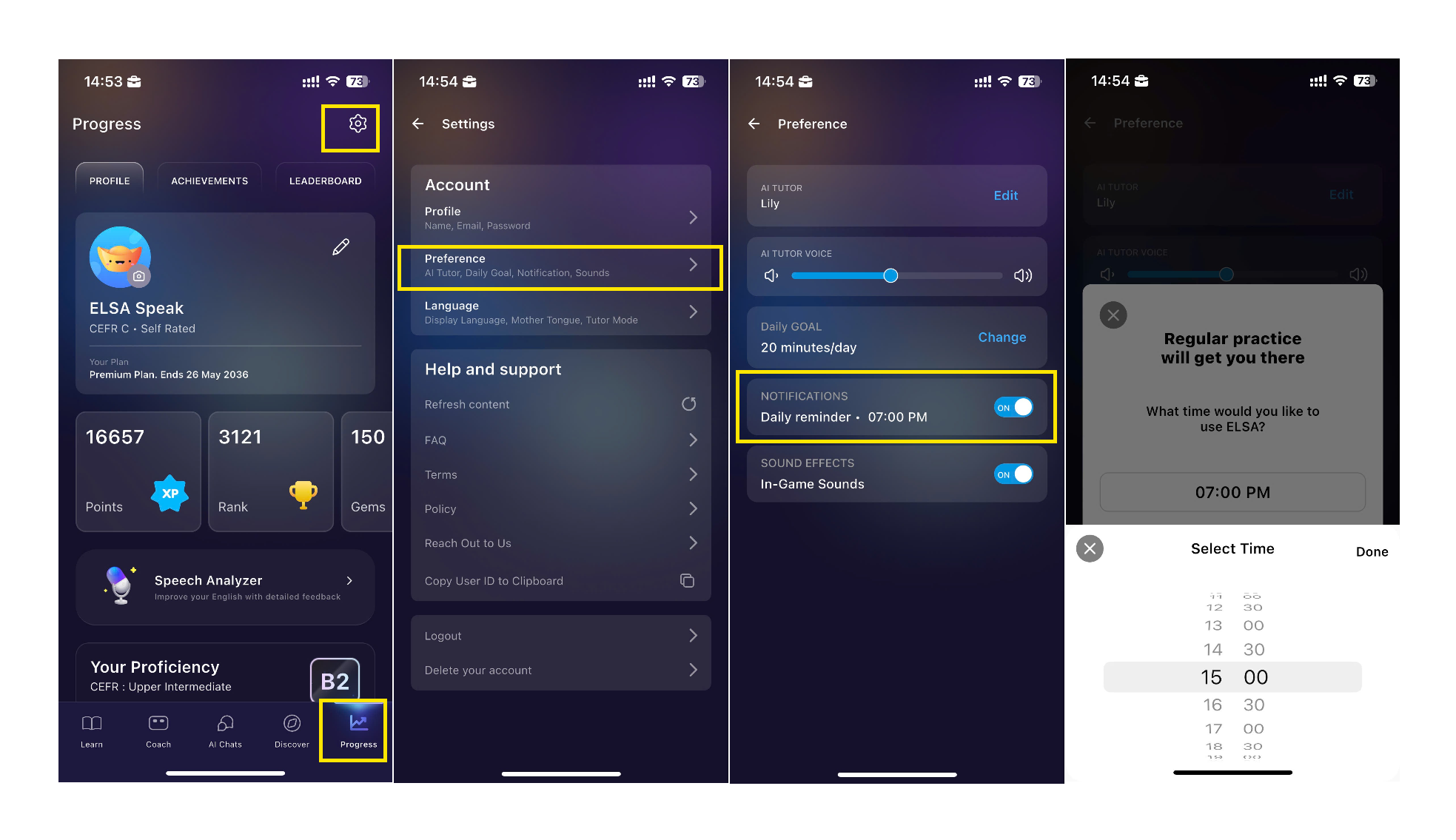
You only need to go to Settings in the Progress tab → Preference → Turn on Daily Reminder → Choose the time you would like to study with ELSA. The app will then send you daily notifications at your selected time to remind you to study.
This way, ELSA can help you build a consistent study habit and make better progress.
Was this article helpful?
That’s Great!
Thank you for your feedback
Sorry! We couldn't be helpful
Thank you for your feedback
Feedback sent
We appreciate your effort and will try to fix the article