1. Leaderboard
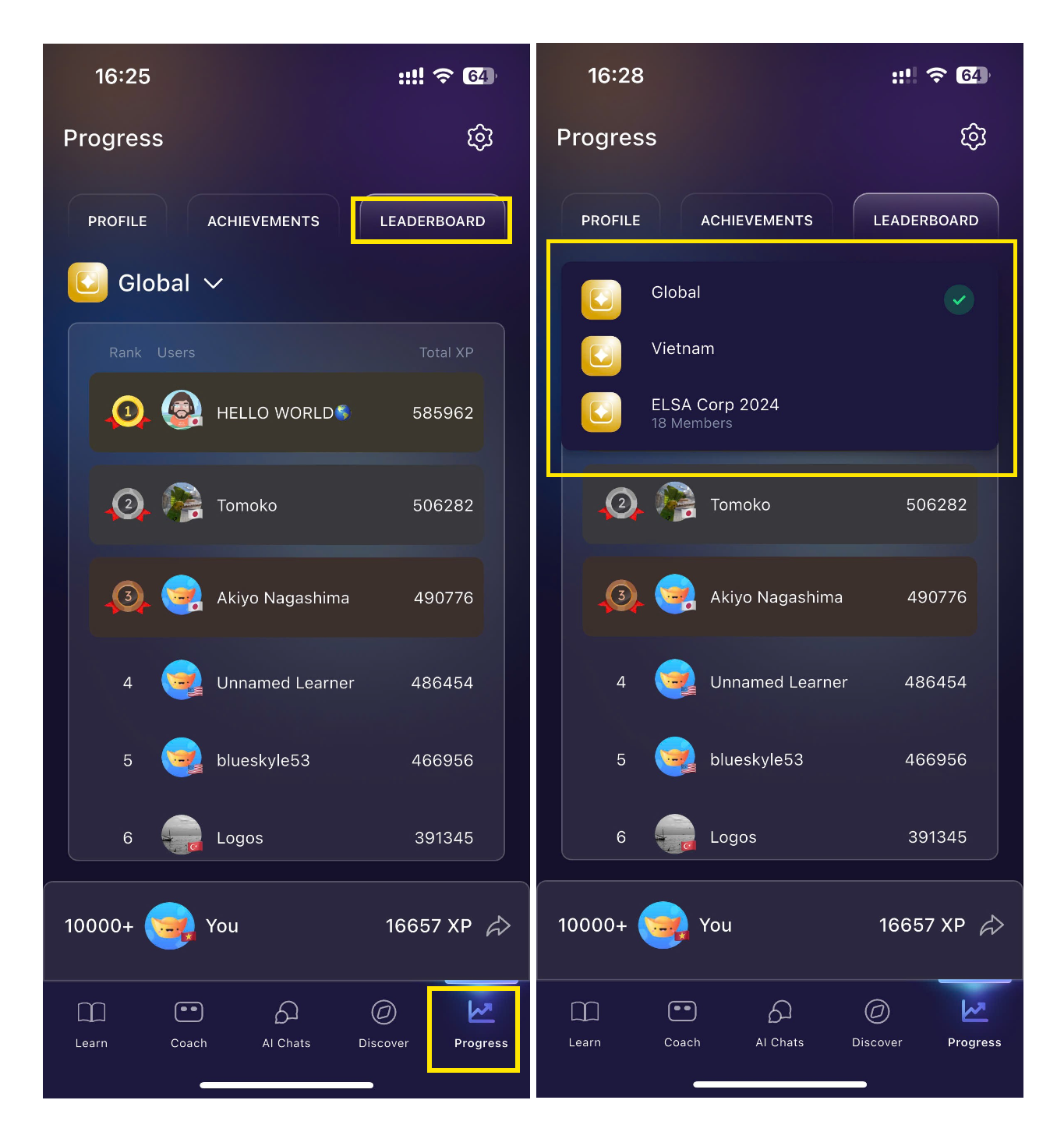
To view your Leaderboard:
Open the app and go to the Progress tab.
Tap Leaderboard.
You can then switch between the Global Leaderboard and other available leaderboards.
2. Streak
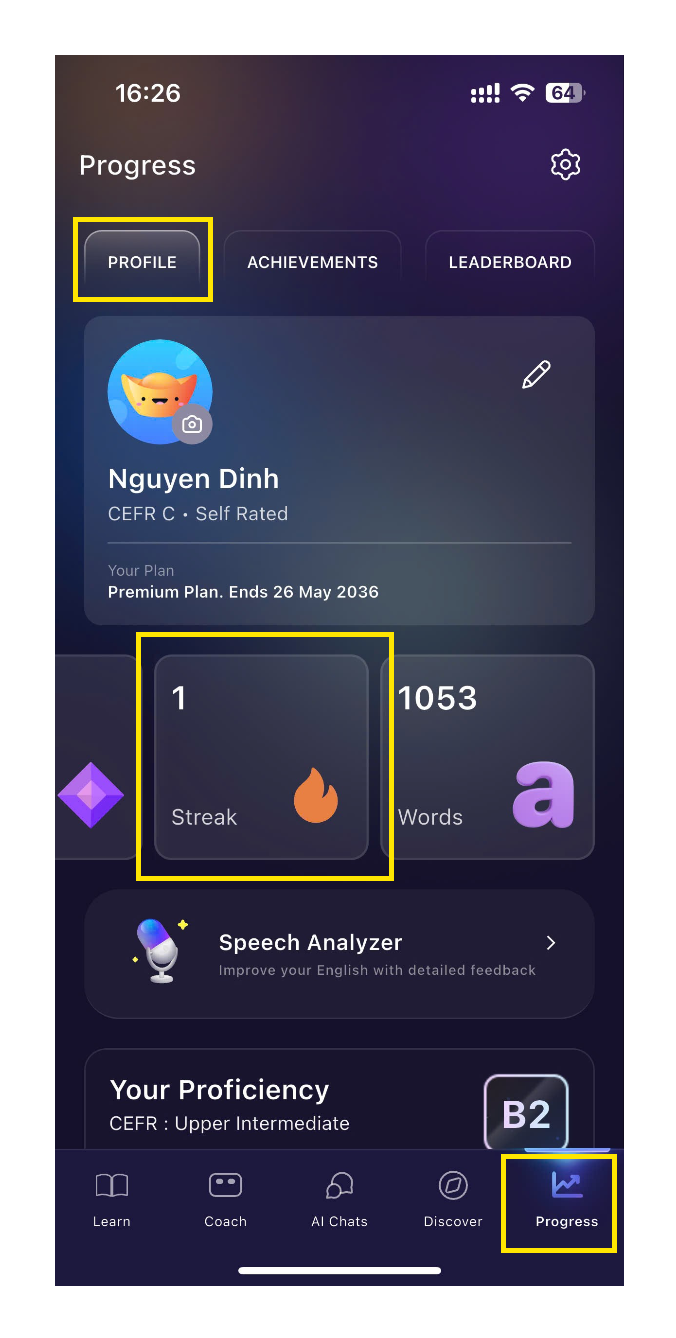
To view your current streak:
Open the app and go to the Progress tab.
Tap Profile.
In the Points section, swipe left to view your current streak.
Was this article helpful?
That’s Great!
Thank you for your feedback
Sorry! We couldn't be helpful
Thank you for your feedback
Feedback sent
We appreciate your effort and will try to fix the article