You can track your learning time on ELSA Mobile app and ELSA Dashboard.
A. In ELSA Mobile app
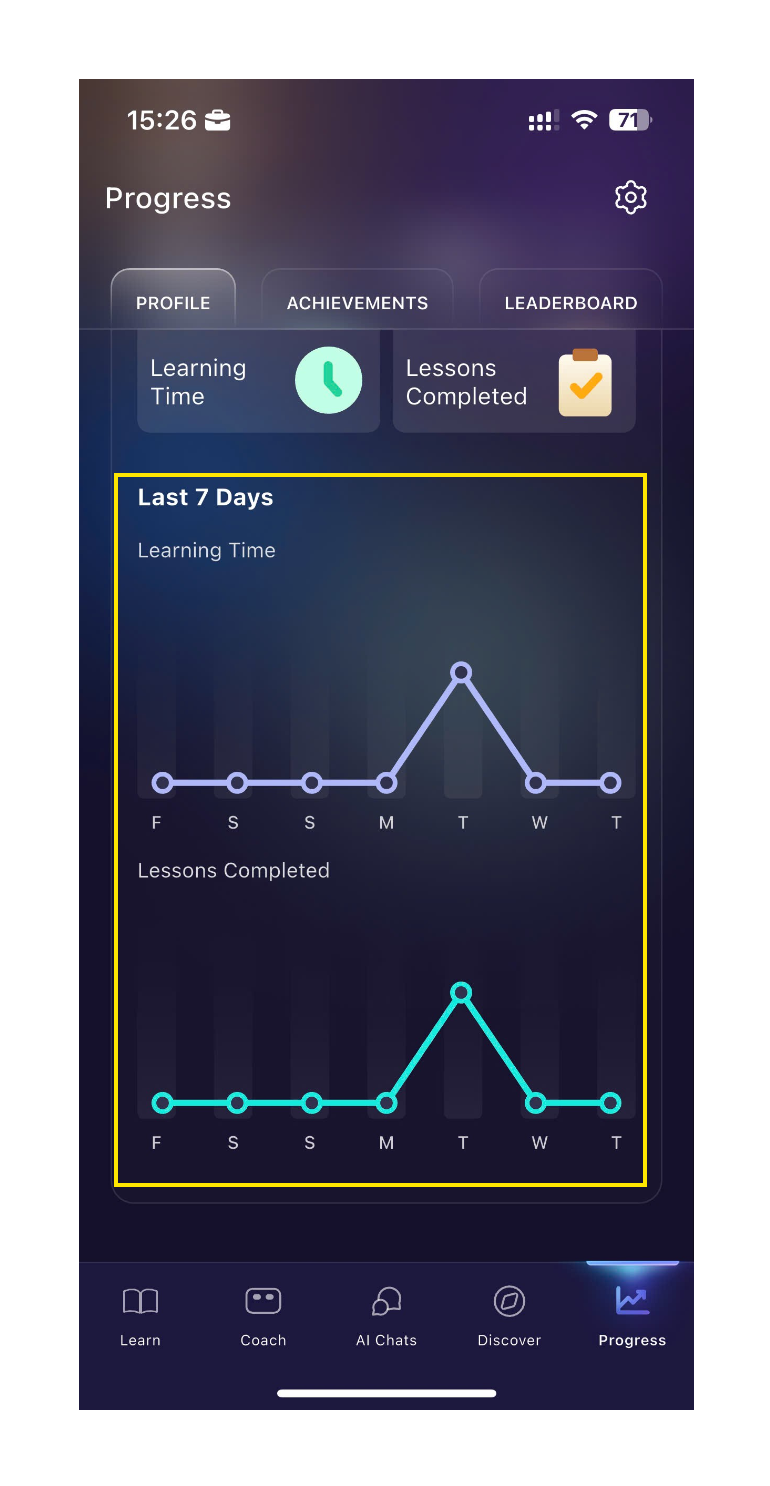
In the Profile tab, you can view two key metrics for the past 7 days:
Total Time Spent Learning: The cumulative time you have actively spent in lessons.
Total Completed Lessons: The number of lessons you have finished successfully.
B. ELSA Dashboard:
In ELSA Dashboard, you can view more detailed activities and progress recorded: admin.elsaspeak.com
How can you check your learning time?
1. Filtering by Date Range
First, determine the specific period you wish to review:
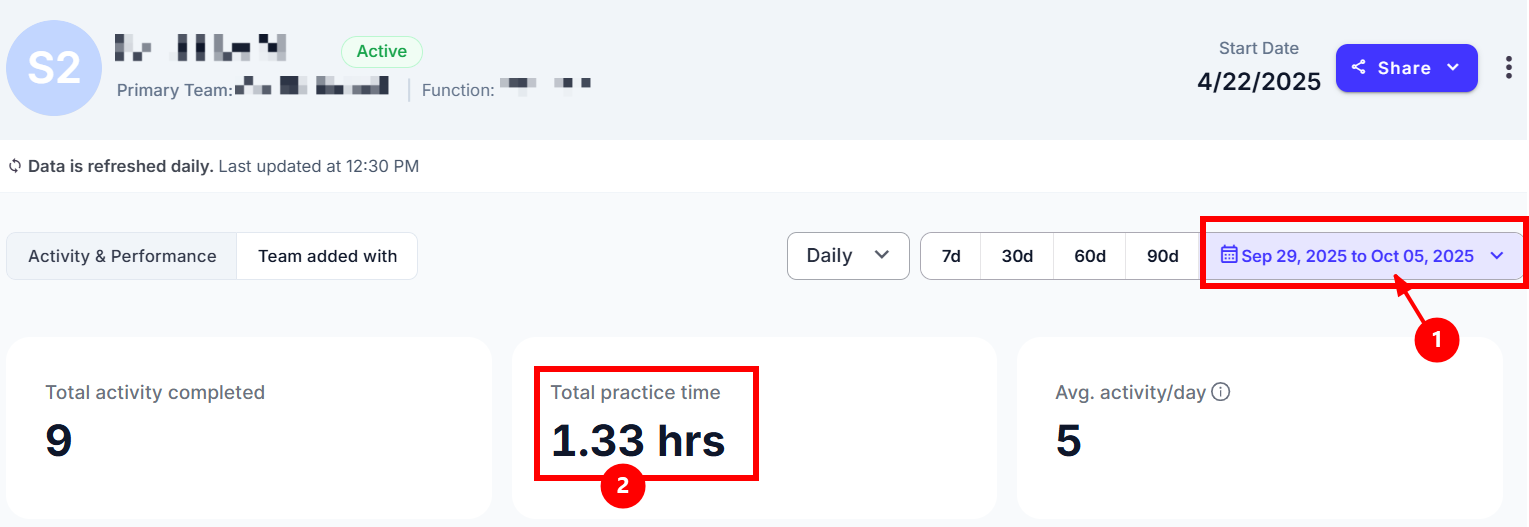
Select the Duration: Click on the calendar icon and accurately choose the desired start date and end date. The dashboard will immediately update to show only data that falls within your selected date range.
2. Converting Total Practice Time
The dashboard displays your Total Practice Time in a decimal hour format (e.g., 1.33 hrs). To understand the practice time in total minutes, you must multiply the entire hour value by 60.
Example: 1.33hrs*60 = 79.8 minutes or 1 hour and 19.8 minutes.
Note:
- Data is refreshed daily at 12:30 pm and displayed based on your organization’s time zone.
- Today’s date is not selectable to ensure that the visualized data are always fully aligned and reliable.
How Activity is Registered:
For any time or lesson count to be officially recorded, your interaction must meet the following criteria:
- Successful Completion is Mandatory: You must start and finish a lesson successfully.
- Incomplete Activity: If you start a lesson but quit, exit, or fail to complete it, the activity will not be registered or counted toward your total time or lessons.
- Active Learning Only: Only time spent engaging with the lessons (e.g., speaking, reading, practicing) is recorded. Time spent browsing different features or letting the app idle is not recorded in your learning time.
- Your phone's screen time is inaccurate because it counts all usage (including browsing menus, scrolling, or idling).
- Always rely on the ELSA app's metrics in your Profile tab or Dashboard for the most accurate measure of your dedication.
Was this article helpful?
That’s Great!
Thank you for your feedback
Sorry! We couldn't be helpful
Thank you for your feedback
Feedback sent
We appreciate your effort and will try to fix the article