TABLE OF CONTENTS
2. How to access Speech Analyzer?
Speech Analyzer is a feature that helps you improve your English speaking by analyzing your speech in detail.
With the new update, you can now use Speech Analyzer directly inside the ELSA mobile app, and do not need to switch to the web anymore
Speech Analyzer evaluates:
- Pronunciation
- Fluency
- Intonation
- Grammar
- Vocabulary
1. What’s new on mobile?
No need to use web anymore
Record and analyze speech directly in the app
- Save and review recordings anytime
- Get instant feedback and transcripts
2. How to access Speech Analyzer?
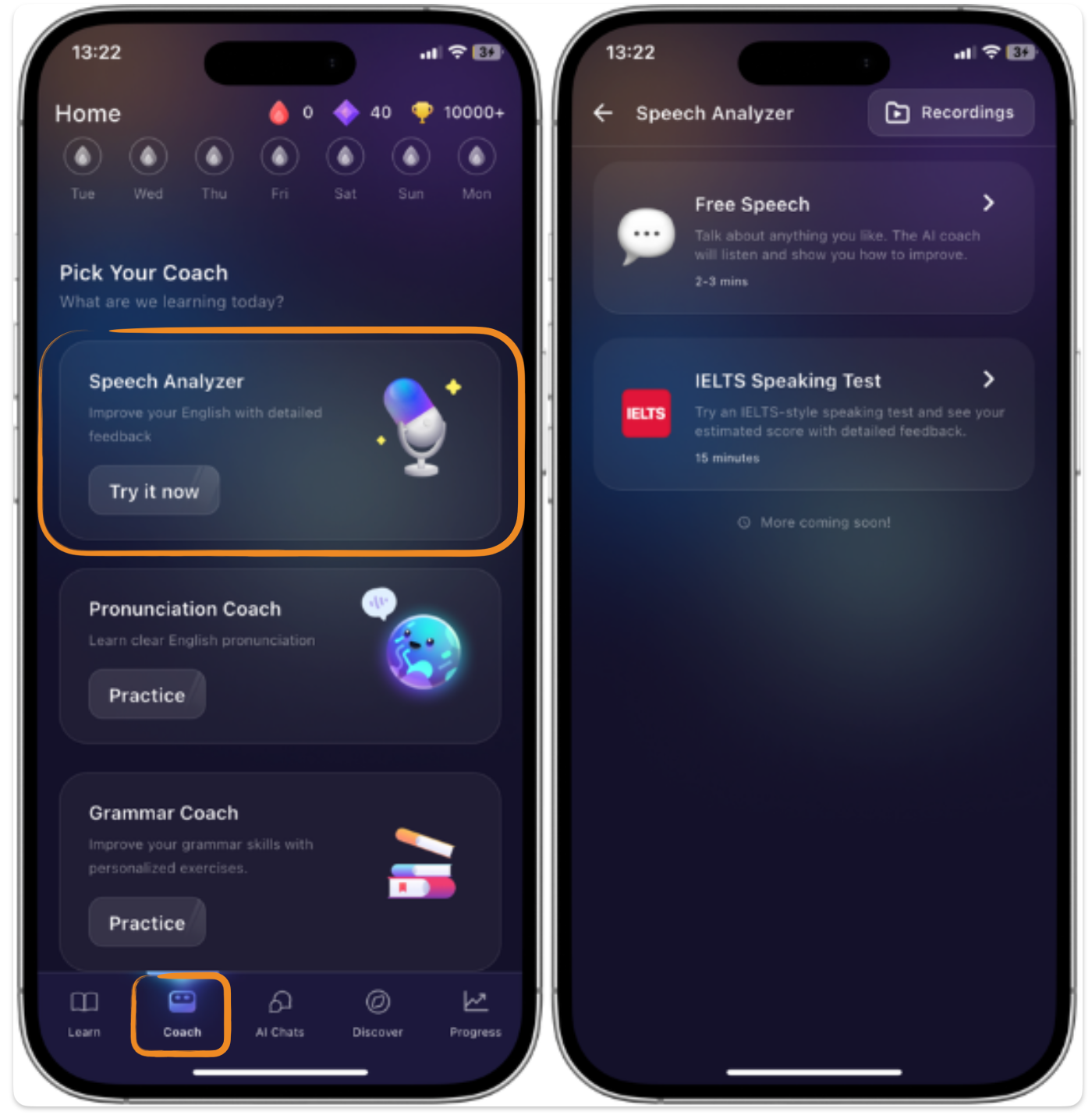
- Open the app => Tap "Coach" tab => Click "Try it now" to open Speech Analyzer
Learn more about Speech Analyzer
Practice modes
Was this article helpful?
That’s Great!
Thank you for your feedback
Sorry! We couldn't be helpful
Thank you for your feedback
Feedback sent
We appreciate your effort and will try to fix the article