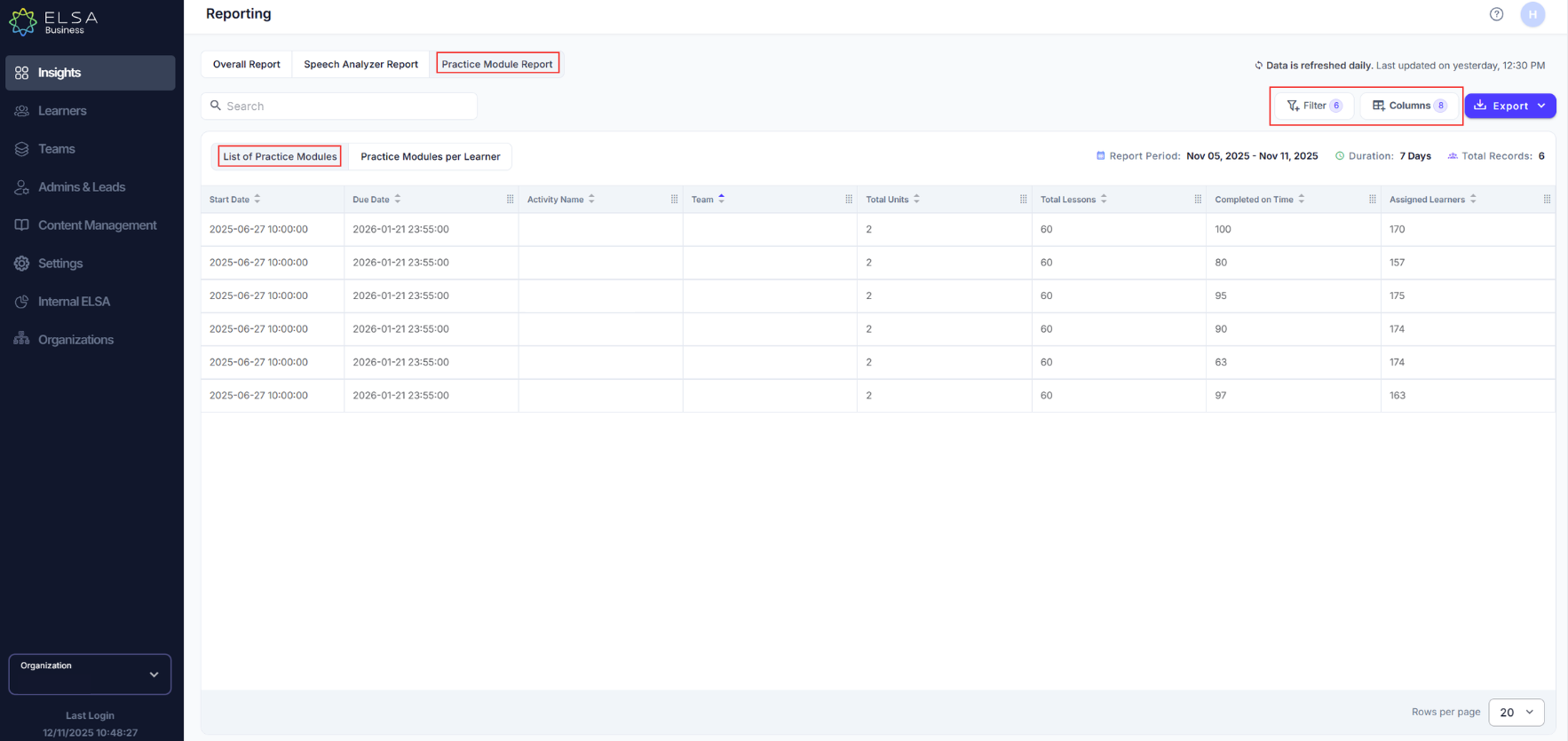
Admins / Team Leads can now see the data points for Practice Module Reports by List of Pratice Modules and Practice Modules per Learner
1. List of Pratice Modules
- Select the Report Duration and Columns to customize the view by adding or removing columns as needed. Admins and Team Leads can also rearrange columns to suit their needs by holding and dragging.
2. Practice Modules per Learner
- Select the Report Duration, Teams, Assignments, Learners from the Filter menu. Admins and Team Leads can also rearrange columns to suit their needs by holding and dragging. Select Columns and customize the view by adding or removing columns as needed.
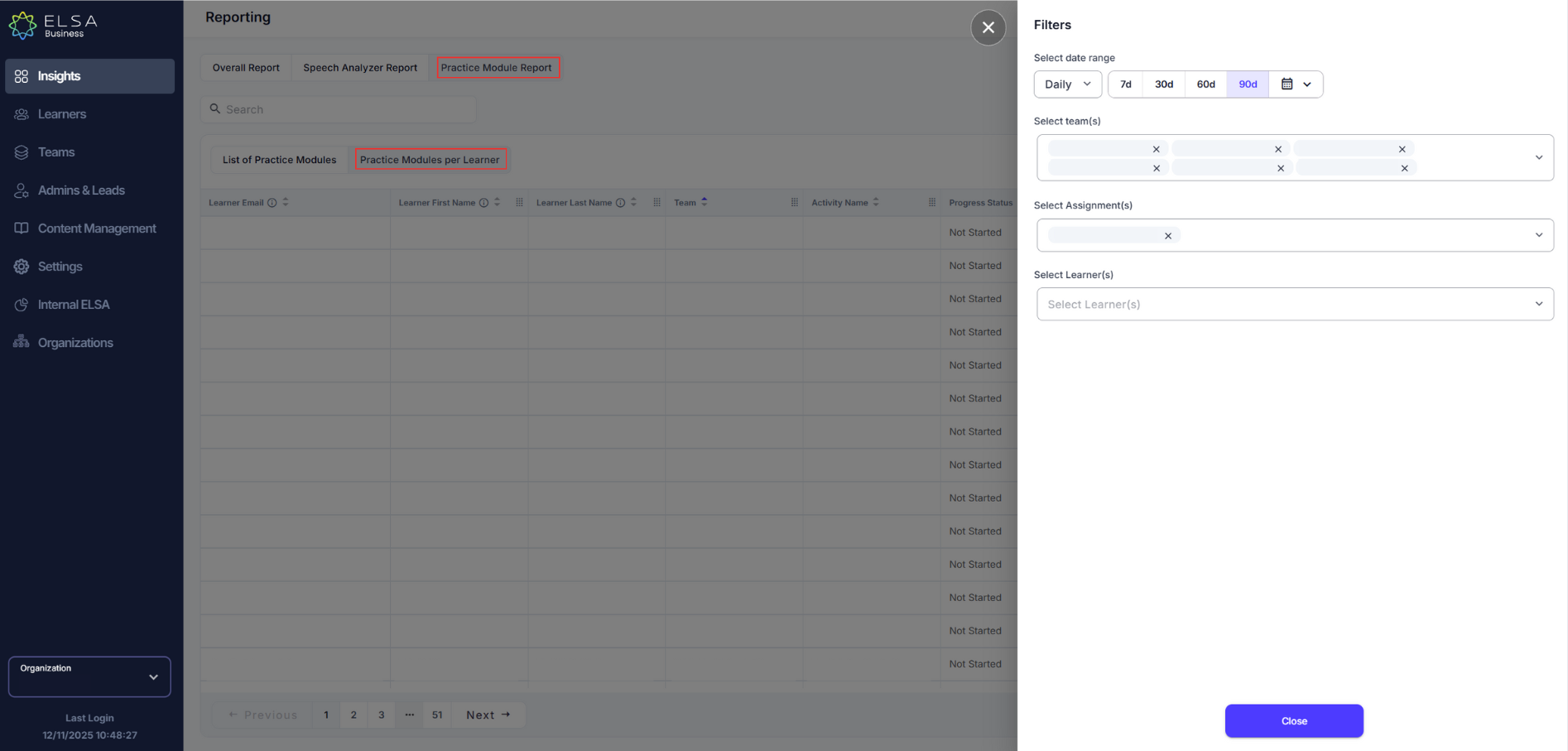
This will be helpful for Admins / Team Leads to analyze their team performance and productivity in regards to the assigned Practice Modules.
Was this article helpful?
That’s Great!
Thank you for your feedback
Sorry! We couldn't be helpful
Thank you for your feedback
Feedback sent
We appreciate your effort and will try to fix the article