You can view the assigned Practice Modules in various places. Here are the steps on how to view assigned Practice Modules:
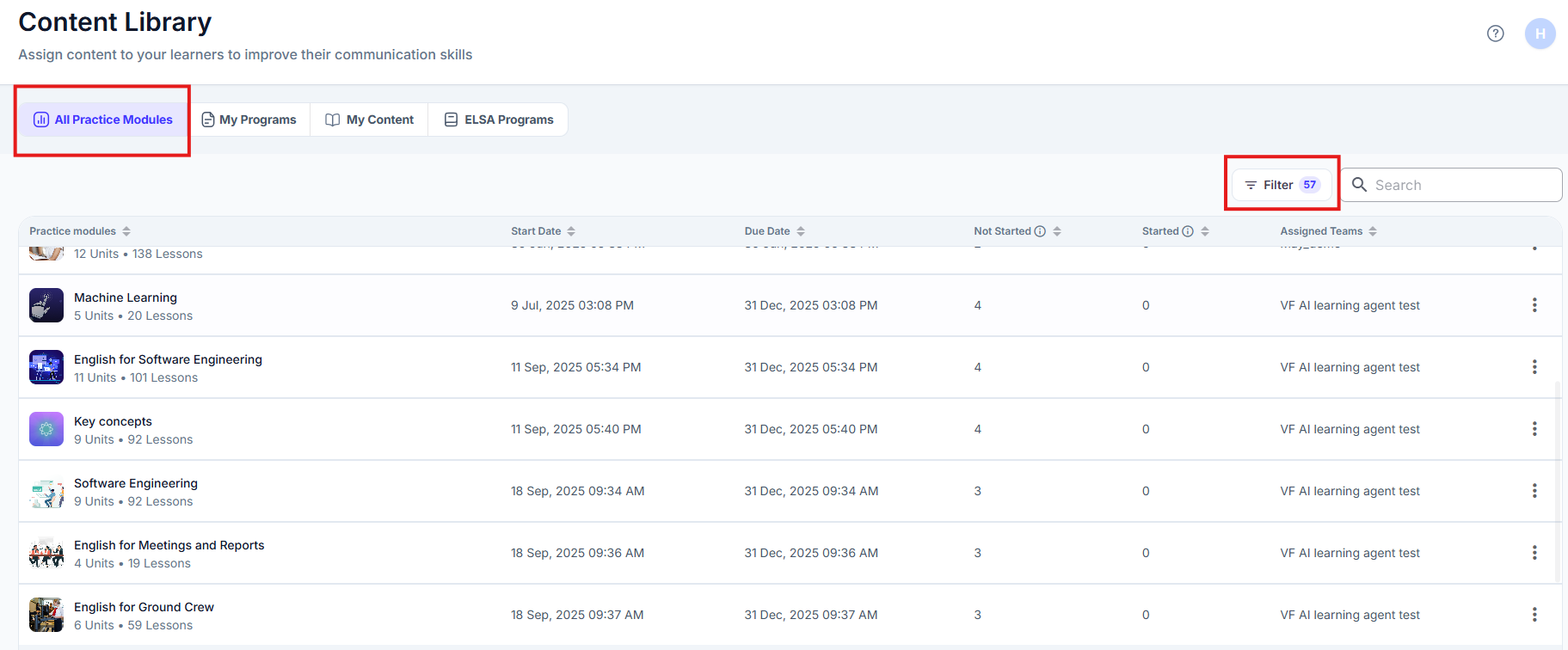
View Assigned Practice Modules in Content Management => Practice Modules
1. You can see the assigned Practice Modules under "All Practice Modules" tab in the Practice Module page. Accessible via the filter in the top-right corner. Practice Modules Statuses are organized into:
- Active
- Completed
- Upcoming
View Assigned Practice Modules in Teams
1. Navigate to the Teams section in the left-hand sidebar menu. This will display a list of all the teams within your organization.
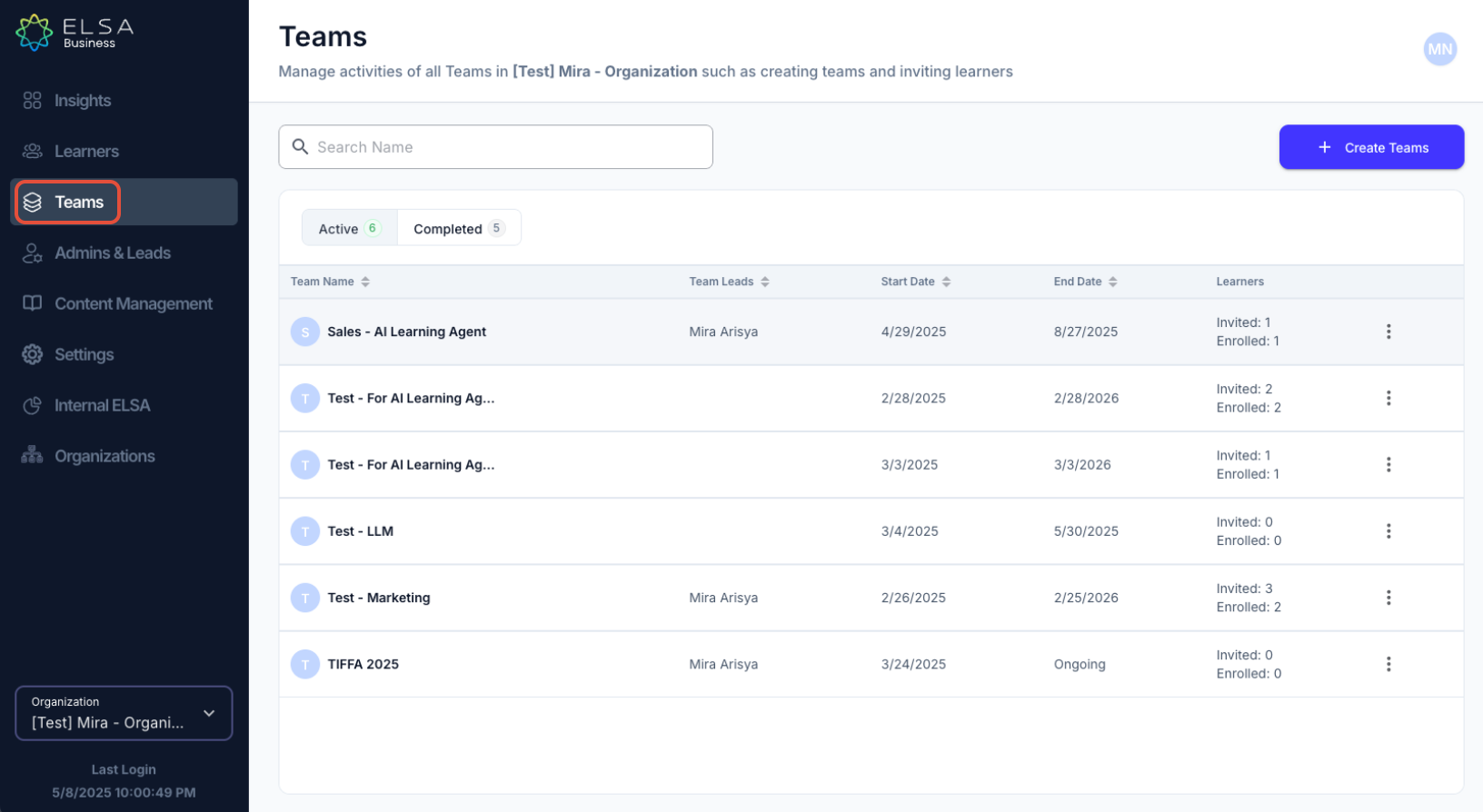
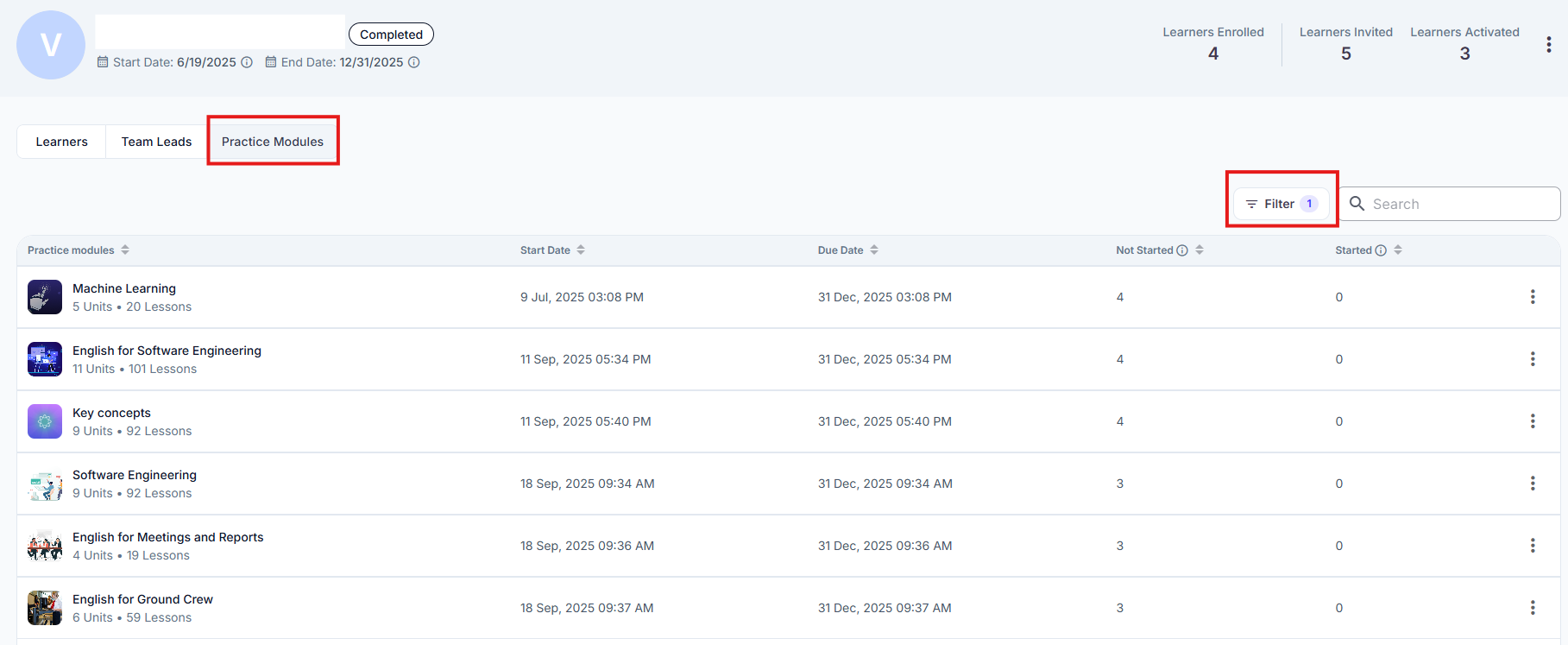
2. Locate the team for which you want to view the assigned practice modules and click on the Team Name. You will see a secondary navigation menu below the team's name (e.g., Learners, Team Leads, Practice Modules). Click on the Practice Modules tab.
3. You will now see a list of all the practice modules that have been assigned to the selected team Accessible via the filter in the top-right corner. The information displayed for each assigned module may include:
- Practice Module Name: The title of the assigned practice module.
- Start Date: The date when the practice module became available to the team.
- Due Date: The deadline for completing the practice module (if a due date was set during the assignment).
- Started: Count of learners who have started the module
- Not started: Count of learners who did not complete all of the lessons
This section provides a clear overview of the learning activities assigned to the chosen team and their progress.
Was this article helpful?
That’s Great!
Thank you for your feedback
Sorry! We couldn't be helpful
Thank you for your feedback
Feedback sent
We appreciate your effort and will try to fix the article