Easily access detailed insights for each learner.
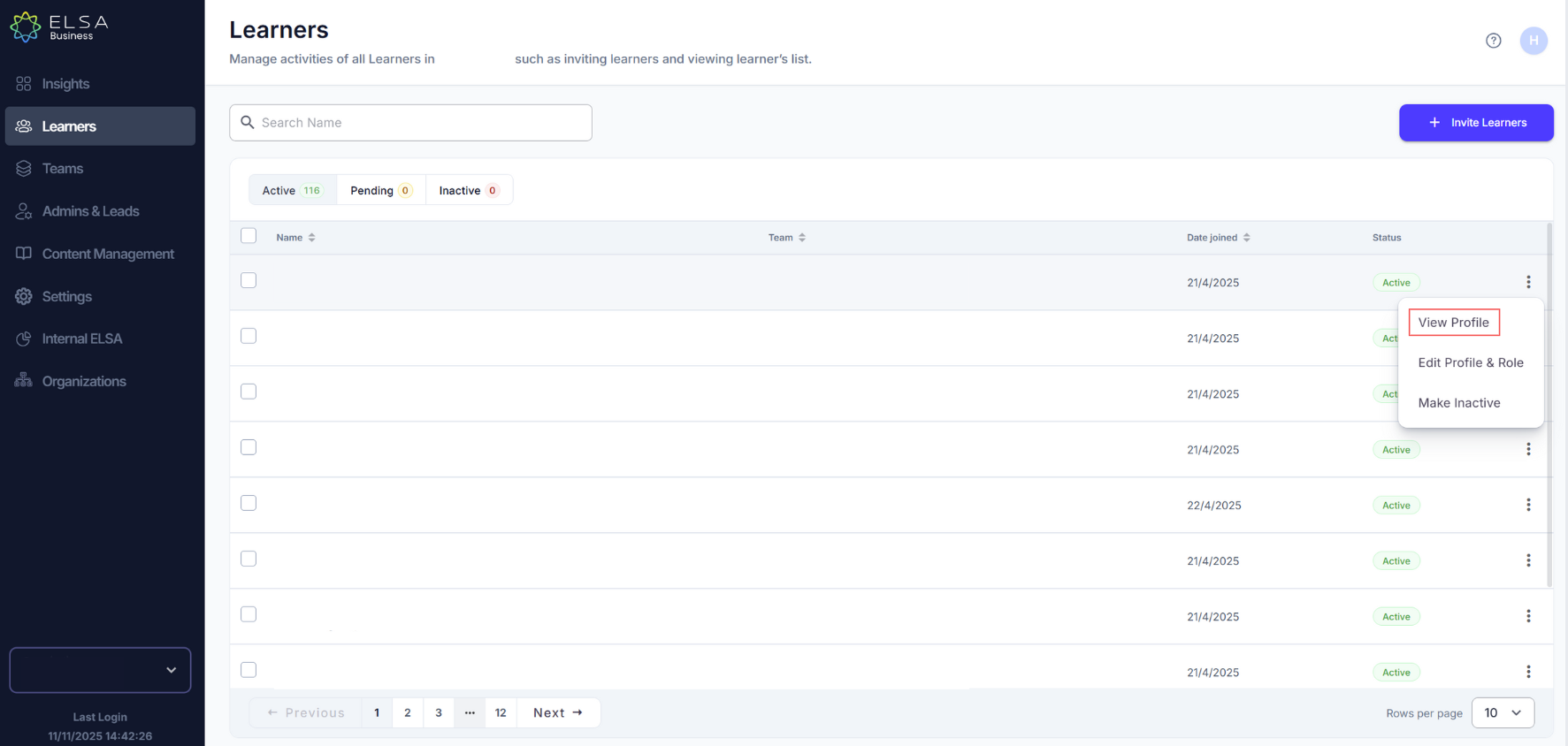
Navigate to the Learners tab and click the ellipsis (⋮) next to a learner's name.
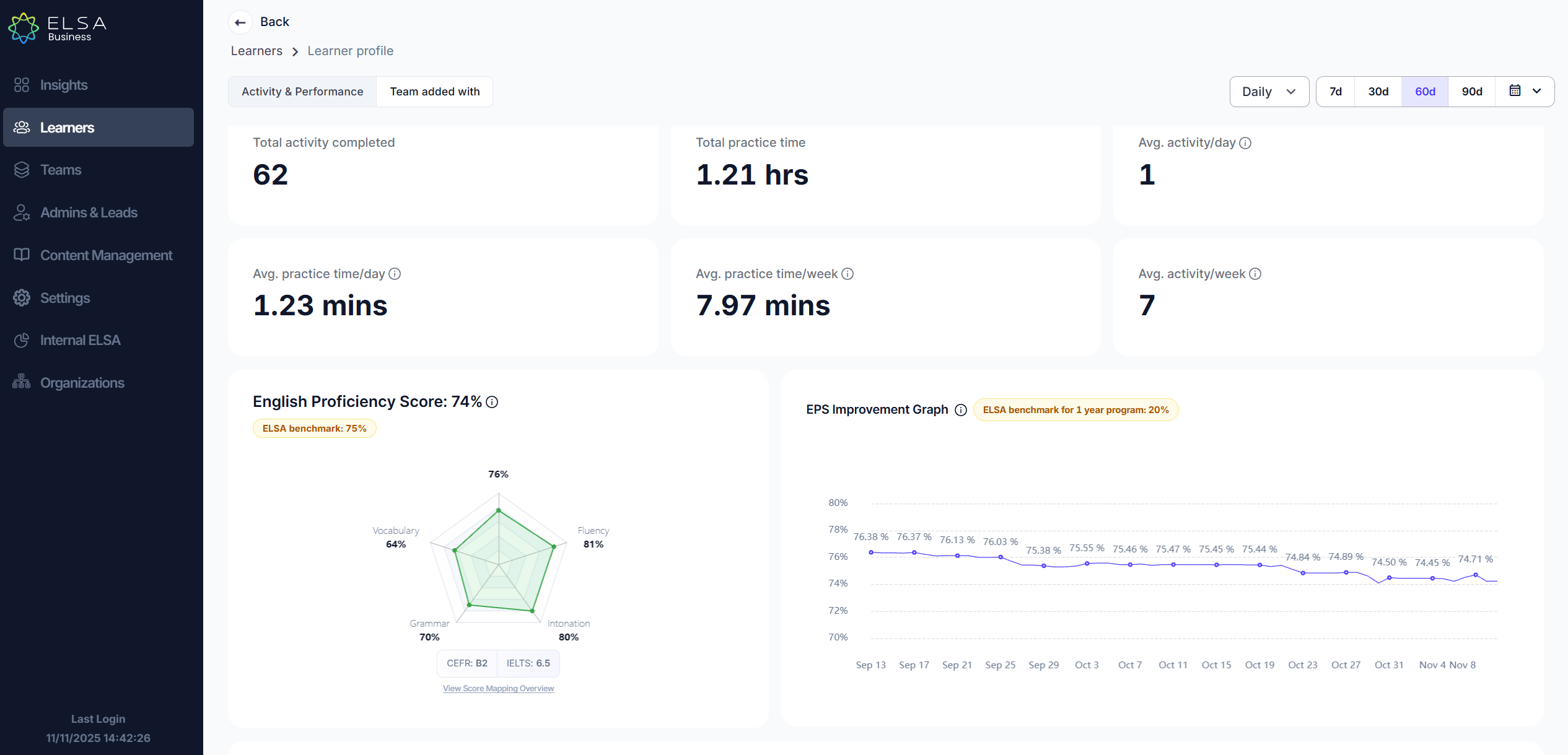
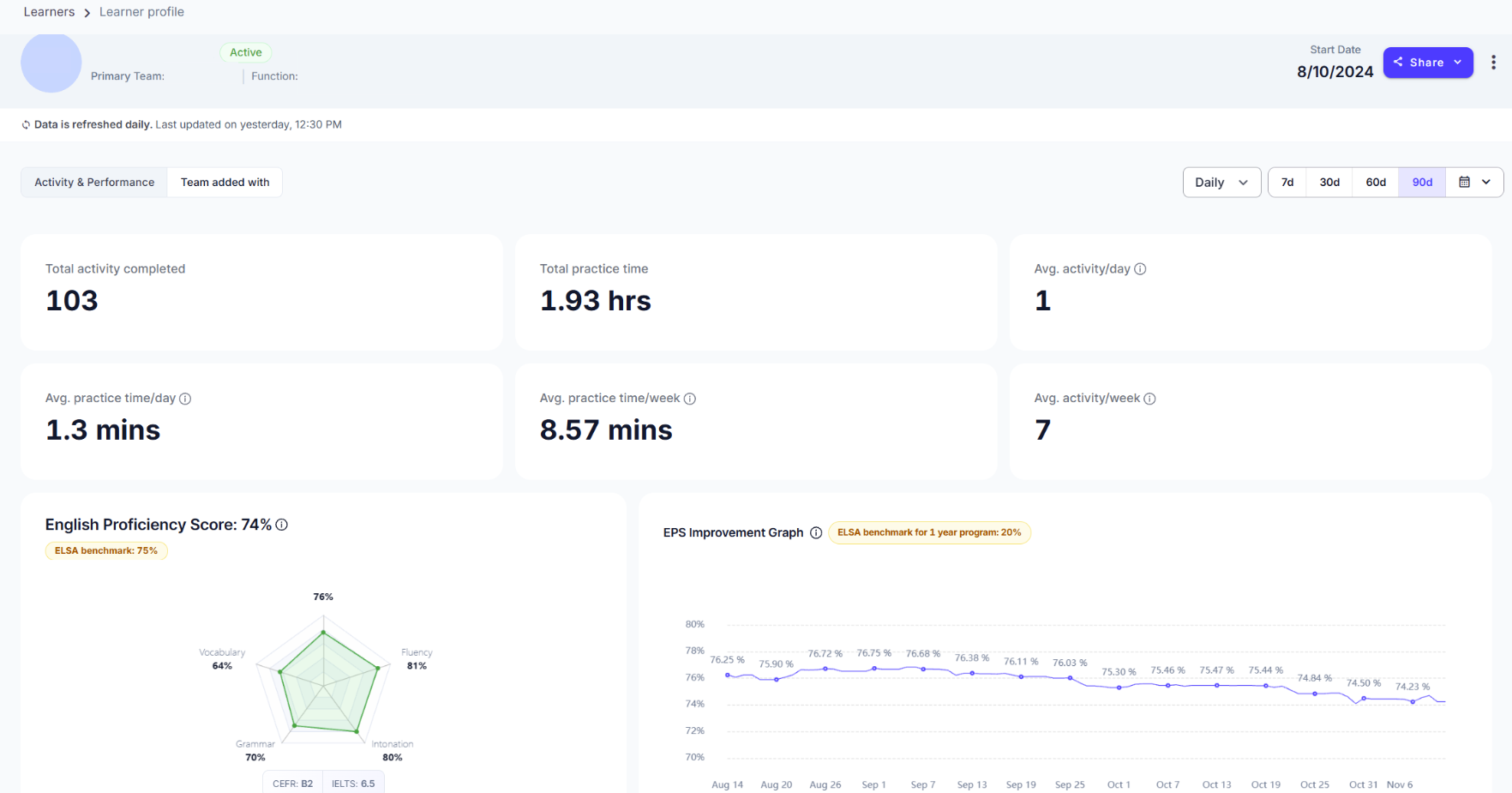
Select View Profile to see their total completed activities, average time spent on the app, and engagement trends.
Analyze their improvement graph and identify areas for growth.
Use these insights to provide targeted support and optimize their learning path.
Your learner will now be able to access the Learner Insights Page with the same metrics that Admin / Team Lead view on their dashboard.
To access this, please guide your learner to go to admin.elsaspeak.com and login using the learner’s email address and password
Was this article helpful?
That’s Great!
Thank you for your feedback
Sorry! We couldn't be helpful
Thank you for your feedback
Feedback sent
We appreciate your effort and will try to fix the article