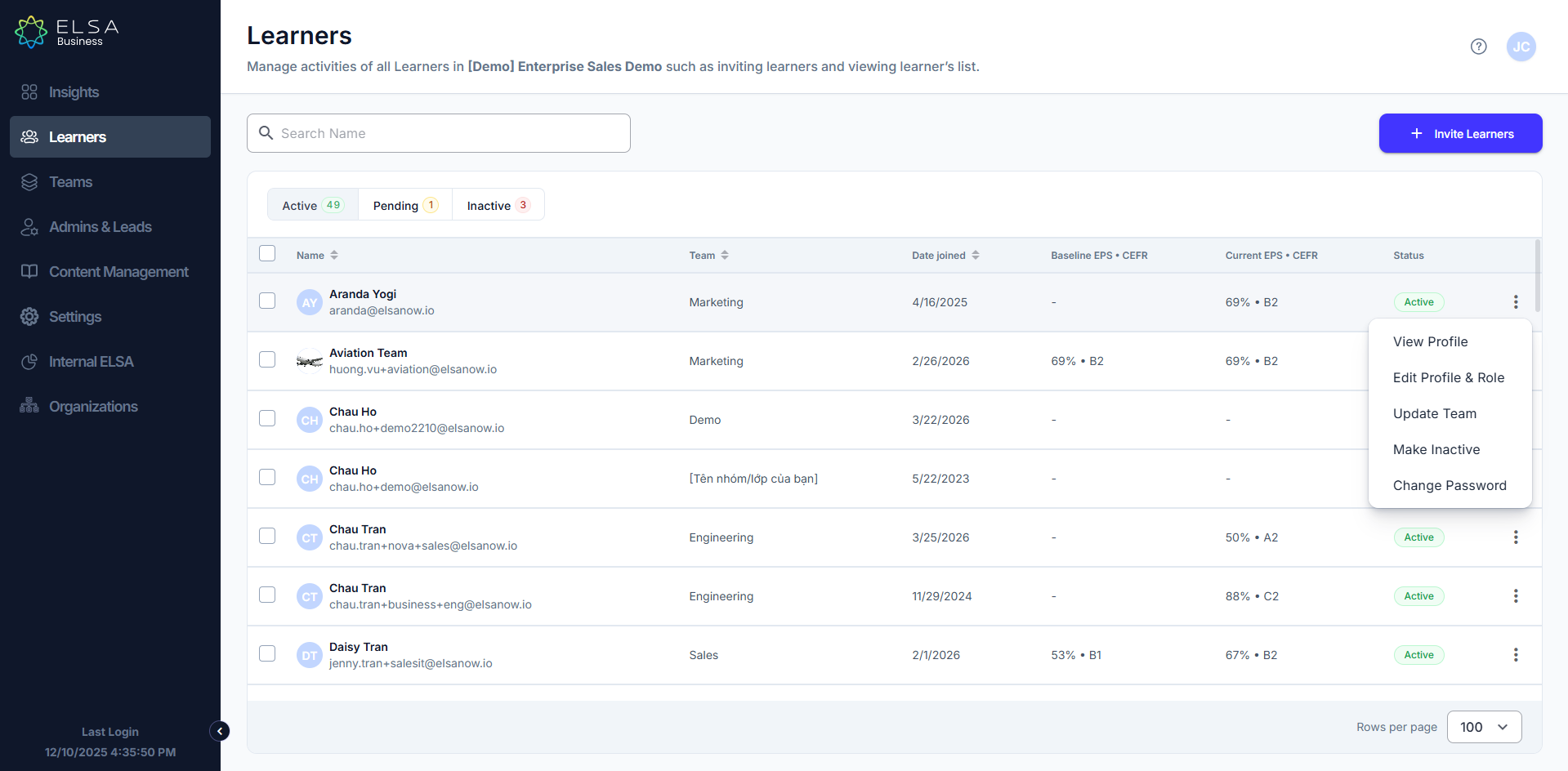
- In the "Learners" tab.
- Locate the learner you wish to manage.
- Click the ellipsis (⋮) next to the learner's name and select "Edit Profile & Role".
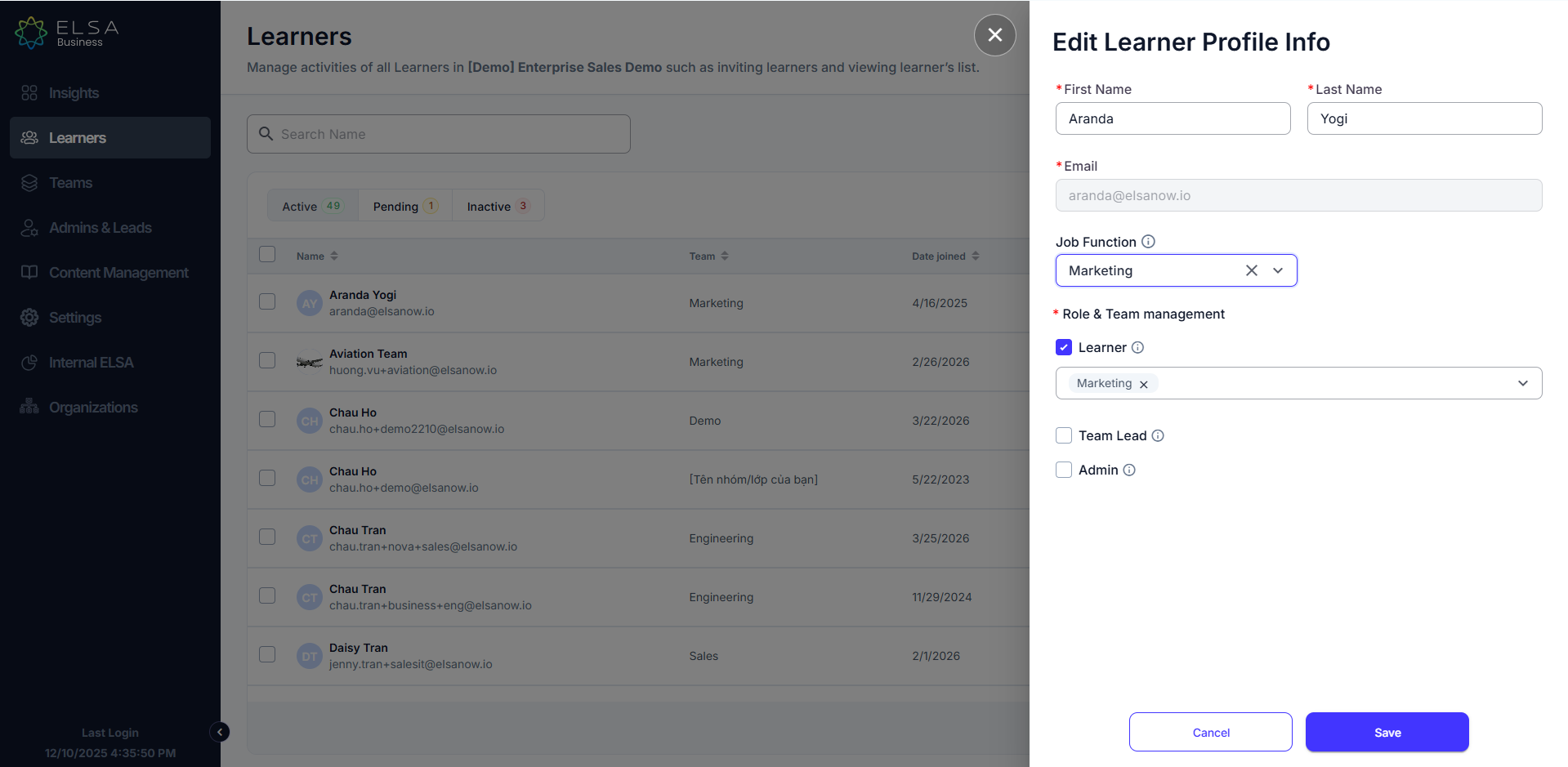
4. You will be able to edit the Learner's First Name and Last Name, Job Function, invite Learner to new team, or invite learner as Team Lead or Admin.
Was this article helpful?
That’s Great!
Thank you for your feedback
Sorry! We couldn't be helpful
Thank you for your feedback
Feedback sent
We appreciate your effort and will try to fix the article