As an Admin or Team Lead,Í you can view learner profile by following the simple steps below.
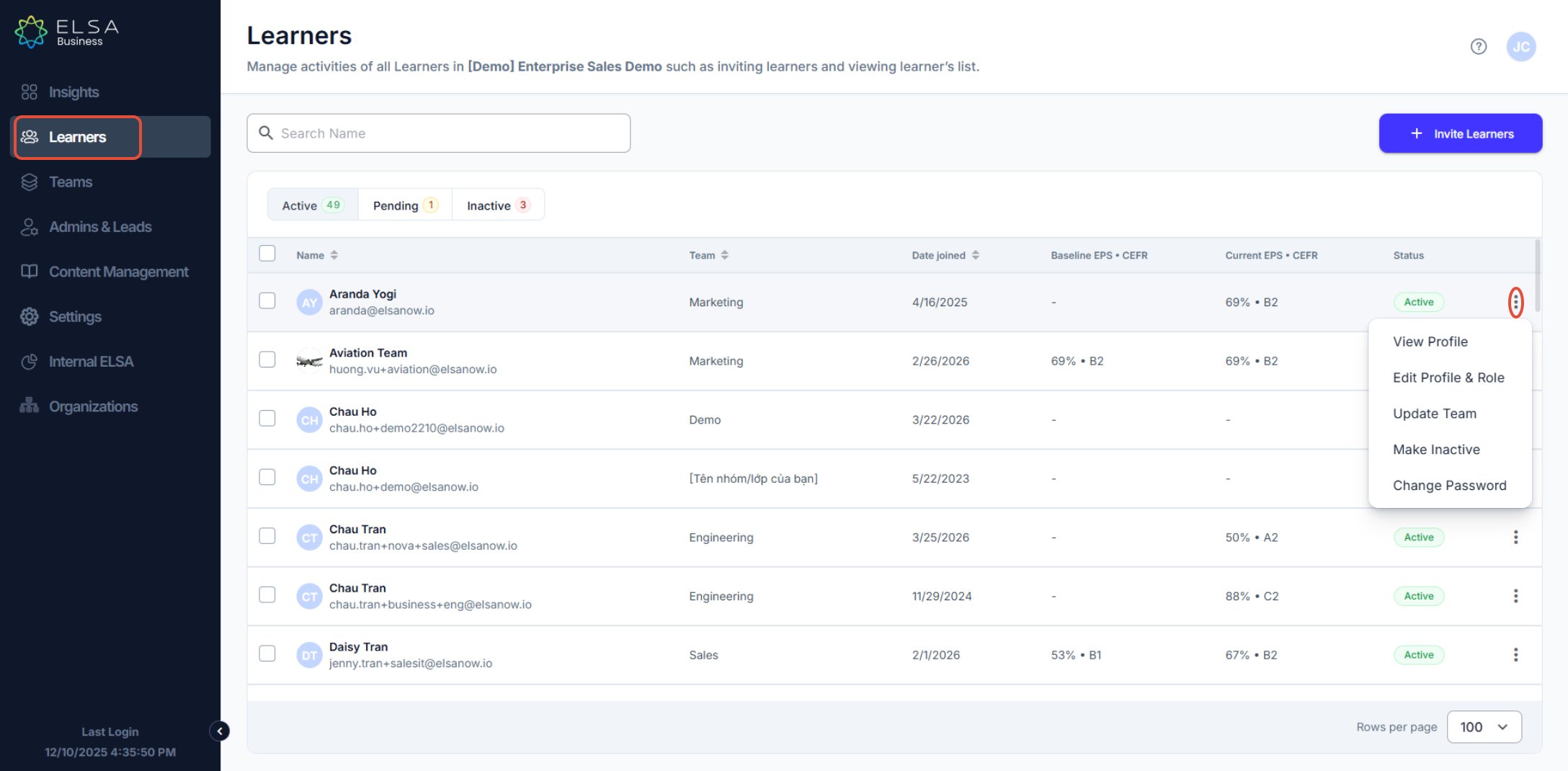
1. In the Learners tab on the left-bar navigation, you can manage your learners. Choose the learner that you want to view and click the ellipsis on the right to “View Profile”.
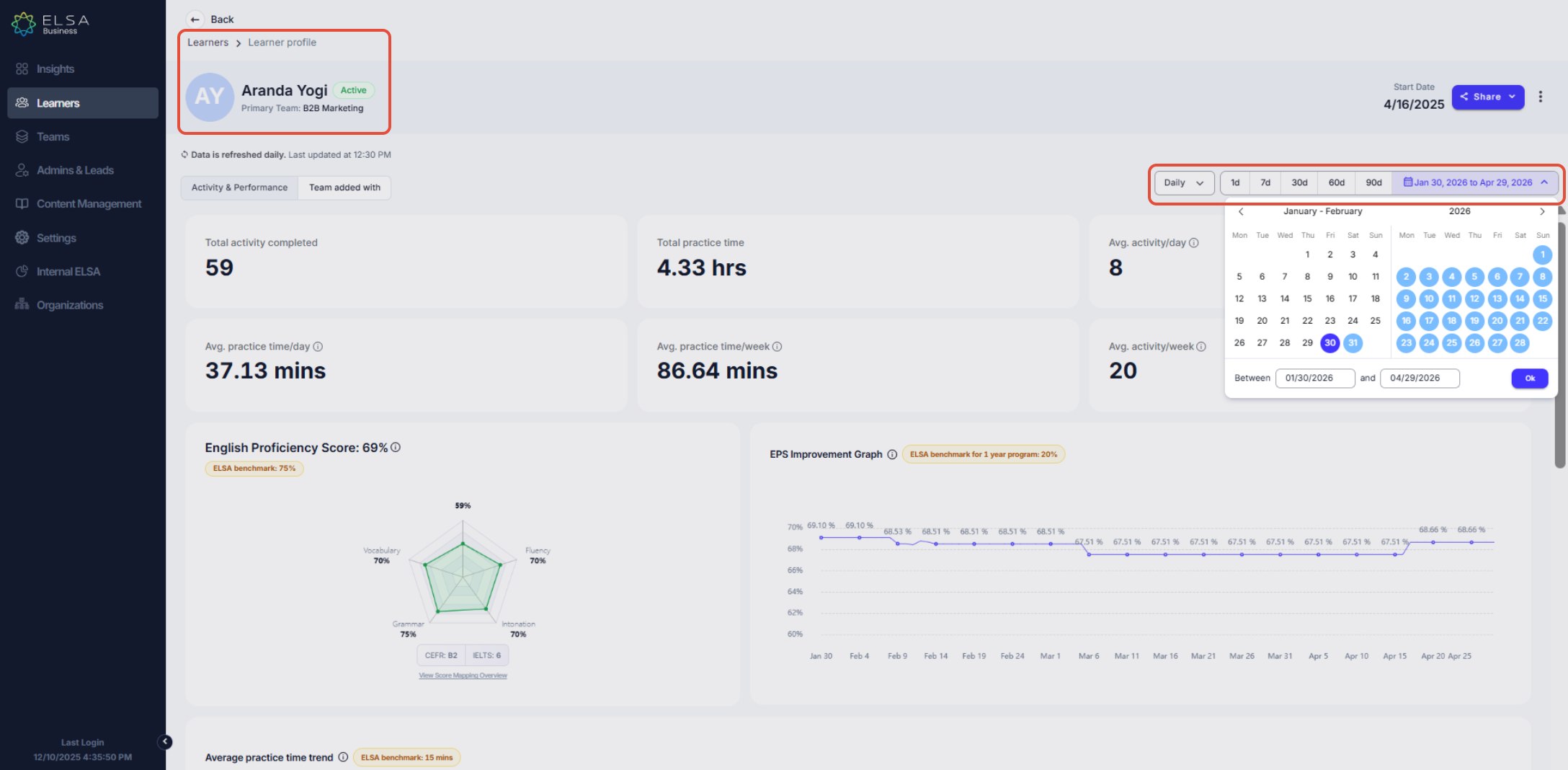
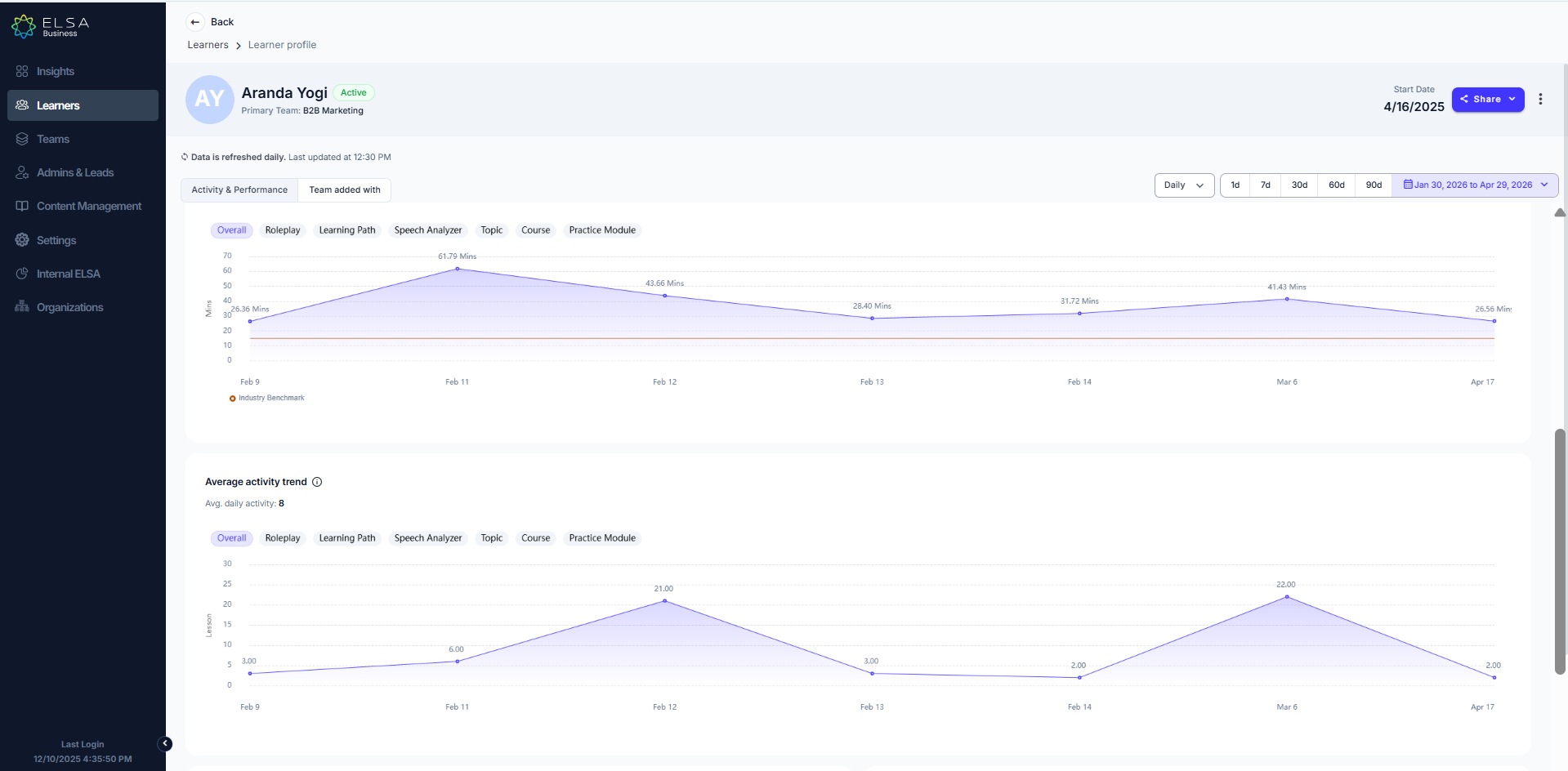
2. By selecting “View Profile”, you can see a learner’s completed activities, total practice time, and English proficiency score by daily, weekly, monthly, or quarterly also can customize the duration.
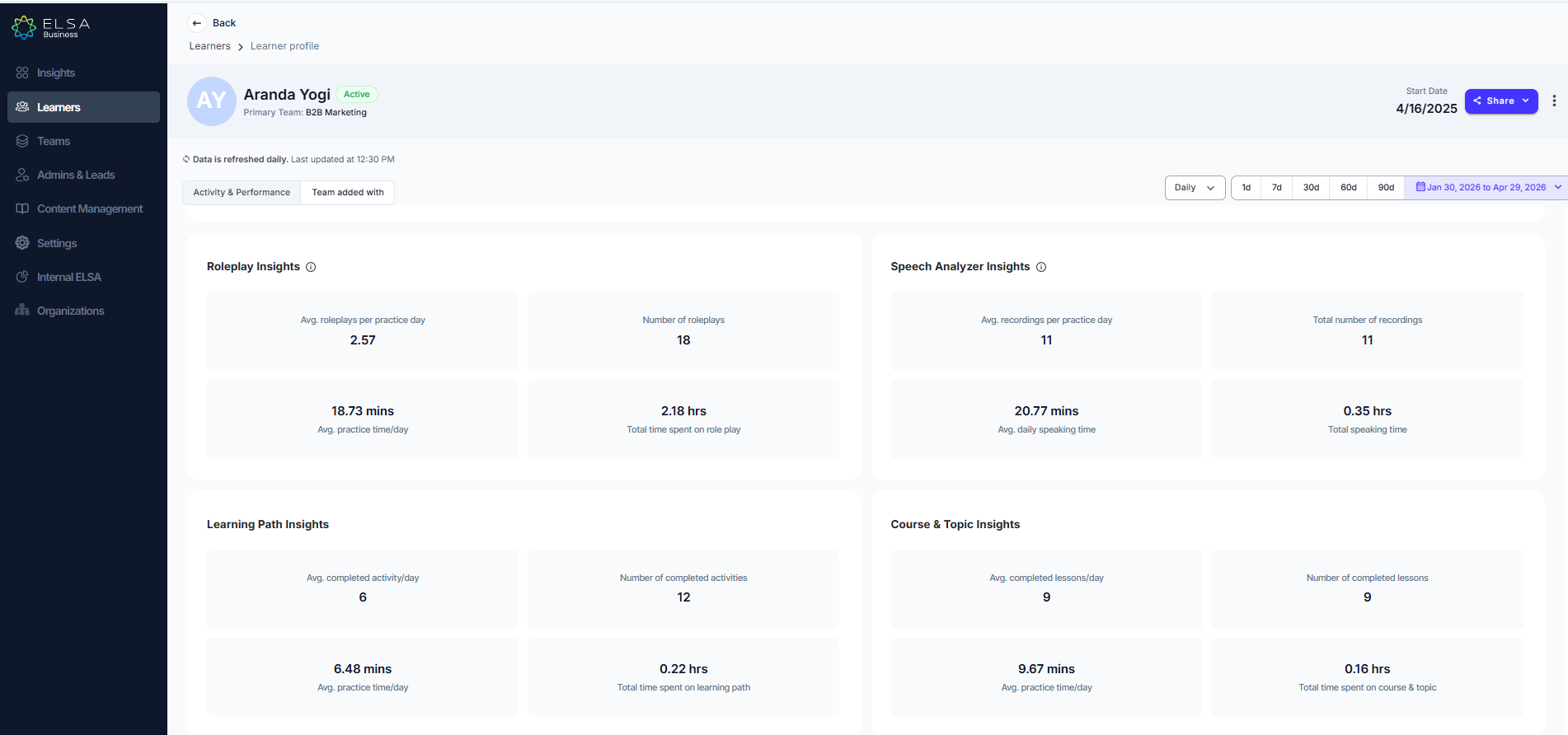
3. You can also see insights from their Role-play and Speech Analyzer activities.
Was this article helpful?
That’s Great!
Thank you for your feedback
Sorry! We couldn't be helpful
Thank you for your feedback
Feedback sent
We appreciate your effort and will try to fix the article