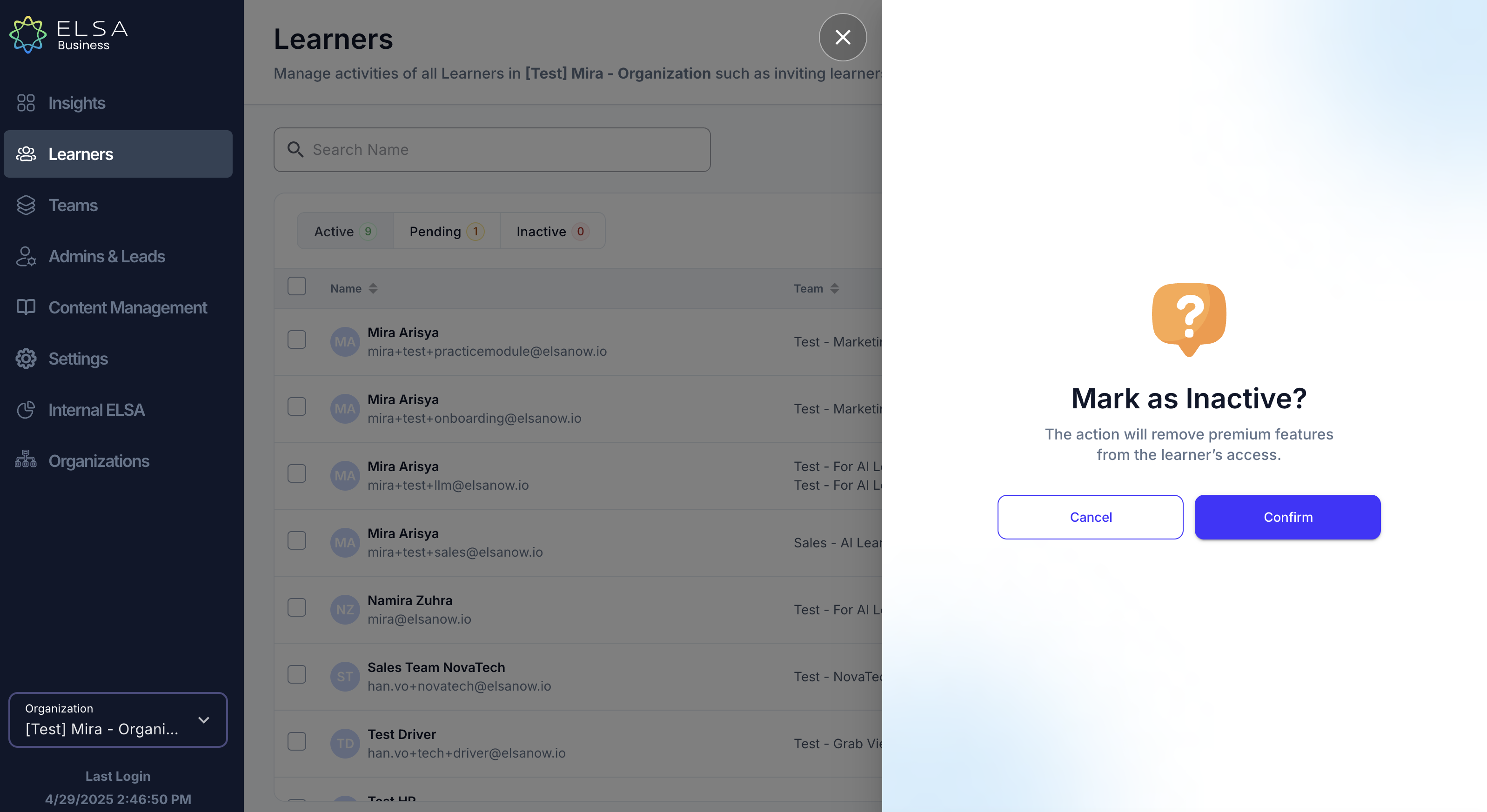
1. In the Learners tab, you can deactivate your organization's learner. Click the ellipsis on the right side and choose "Make Inactive". Once a learner is deactivated, you should be able to see your license number increase.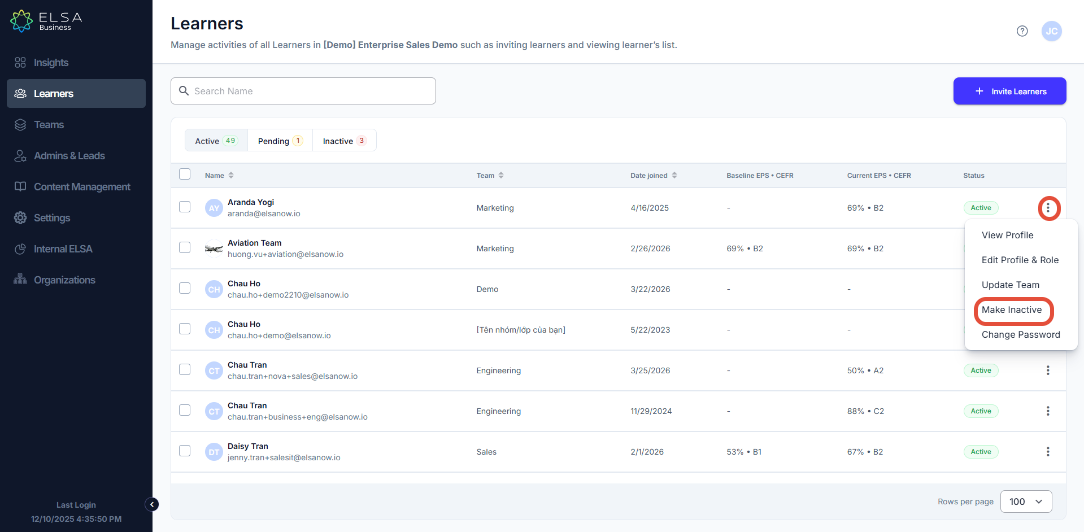
2. Please note that by revoking their access as learner, it will also remove their access to ELSA Speak App+ premium features.
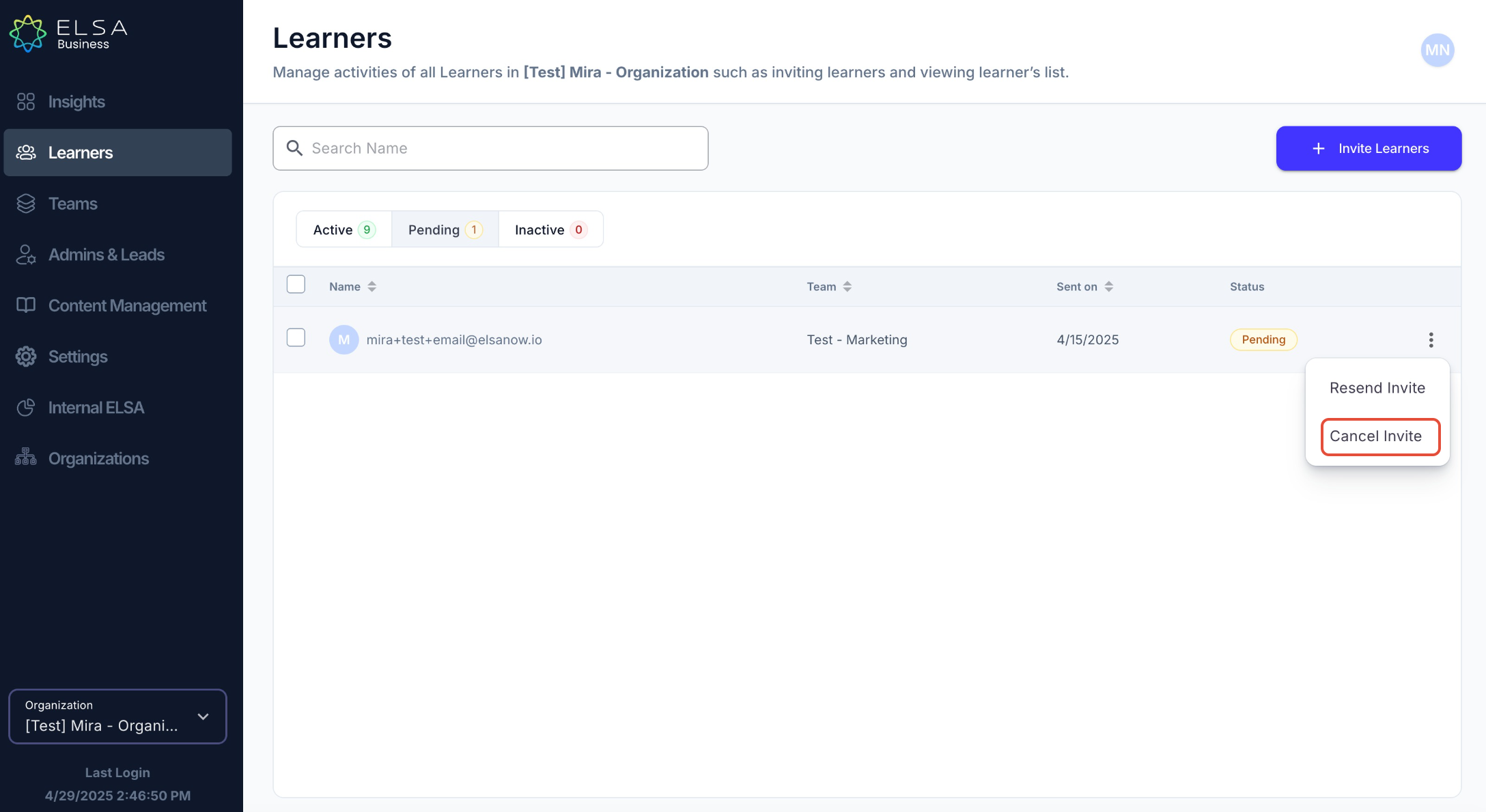
3. Free up a license by cancelling learner invitation. Navigate to "Learners" and select "Pending" tab. Cancel an invitation if the learner remains in pending status.
Was this article helpful?
That’s Great!
Thank you for your feedback
Sorry! We couldn't be helpful
Thank you for your feedback
Feedback sent
We appreciate your effort and will try to fix the article