To see your organization's active and assigned Learning Path, please follow the simple steps below:
- Click on the "Content Management" tab located in the left sidebar menu and choose "Learning Path" you will be able to see the list of active and assigned Learning Paths in your organization.
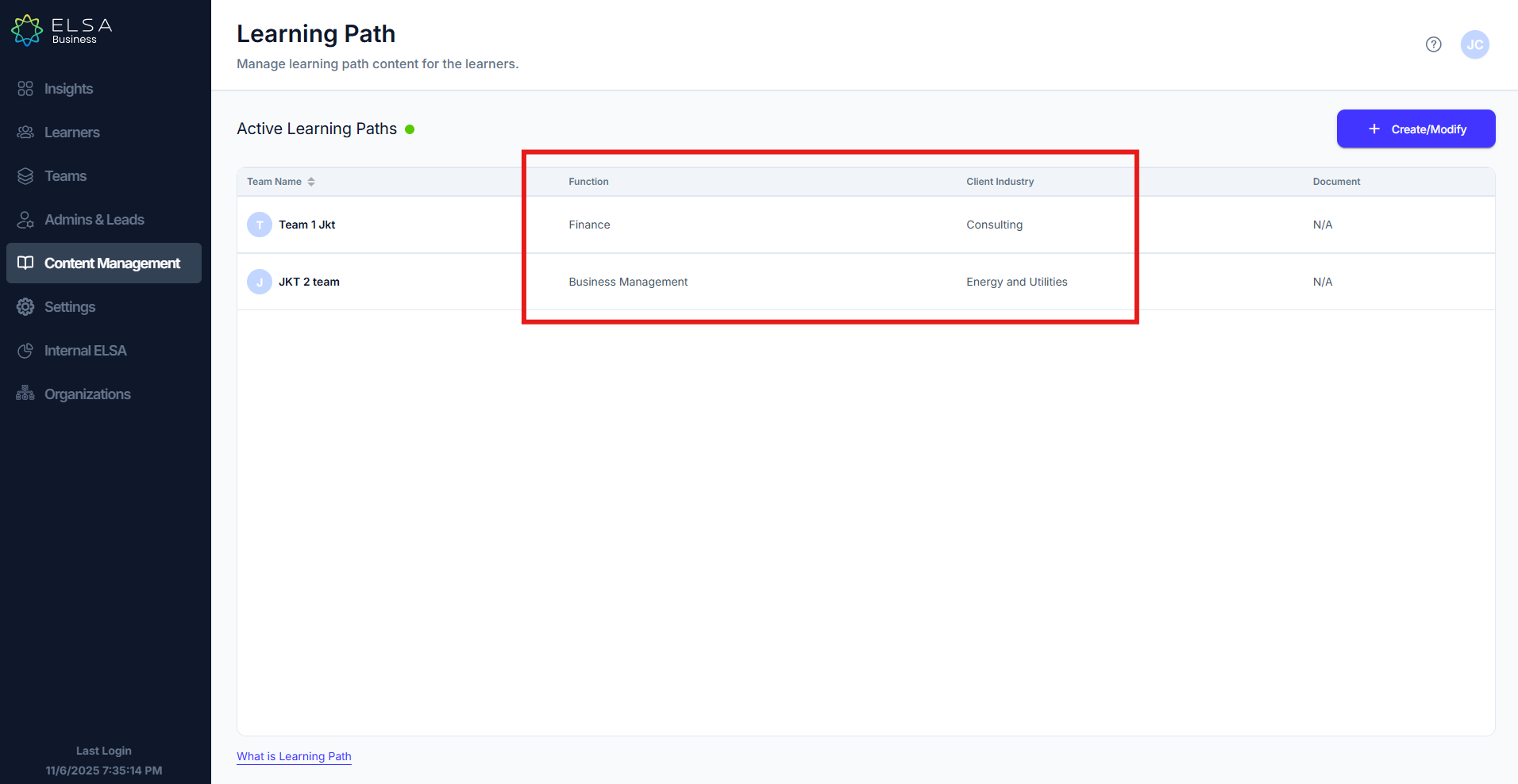
- In this page, you will be able to see:
- All active Learning Paths
- The teams they are assigned to
- The job function on the Learning Path
- The client industries (for customer-facing focused Learning Path)
- The associated company-specific document.
Was this article helpful?
That’s Great!
Thank you for your feedback
Sorry! We couldn't be helpful
Thank you for your feedback
Feedback sent
We appreciate your effort and will try to fix the article