The Learning Path feature in ELSA Business allows administrators to create structured learning experiences tailored to specific roles and functions within your organization. Here's how to configure them:
1. Accessing the Learning Path Configuration from Content Management:
Navigate to the Content Management section.
- Select the Learning Path tab.
- Click "Create / Modify" button and click + Add More Team.
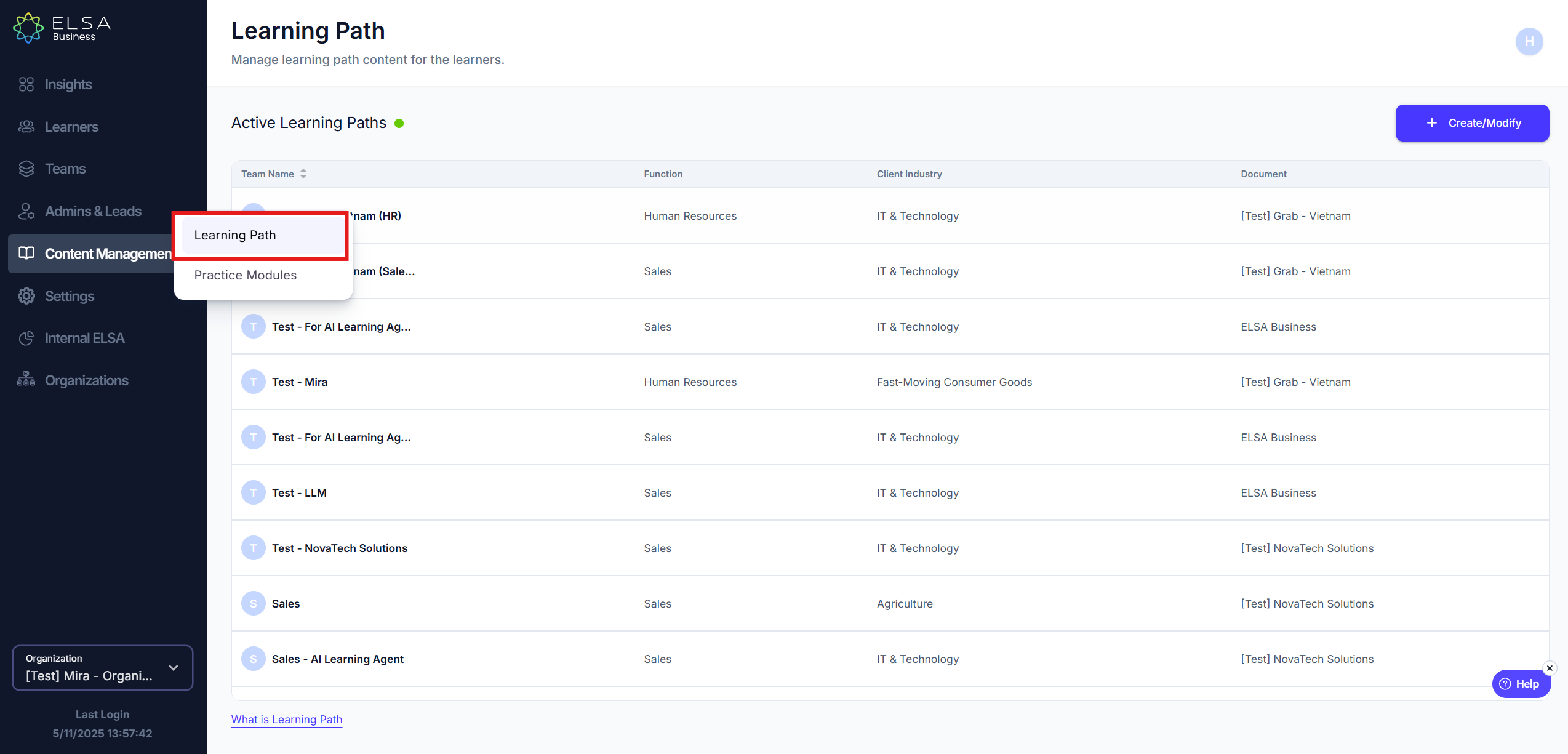
- Select the Team that you would like to configure the Learning Path for and select the Job Function.
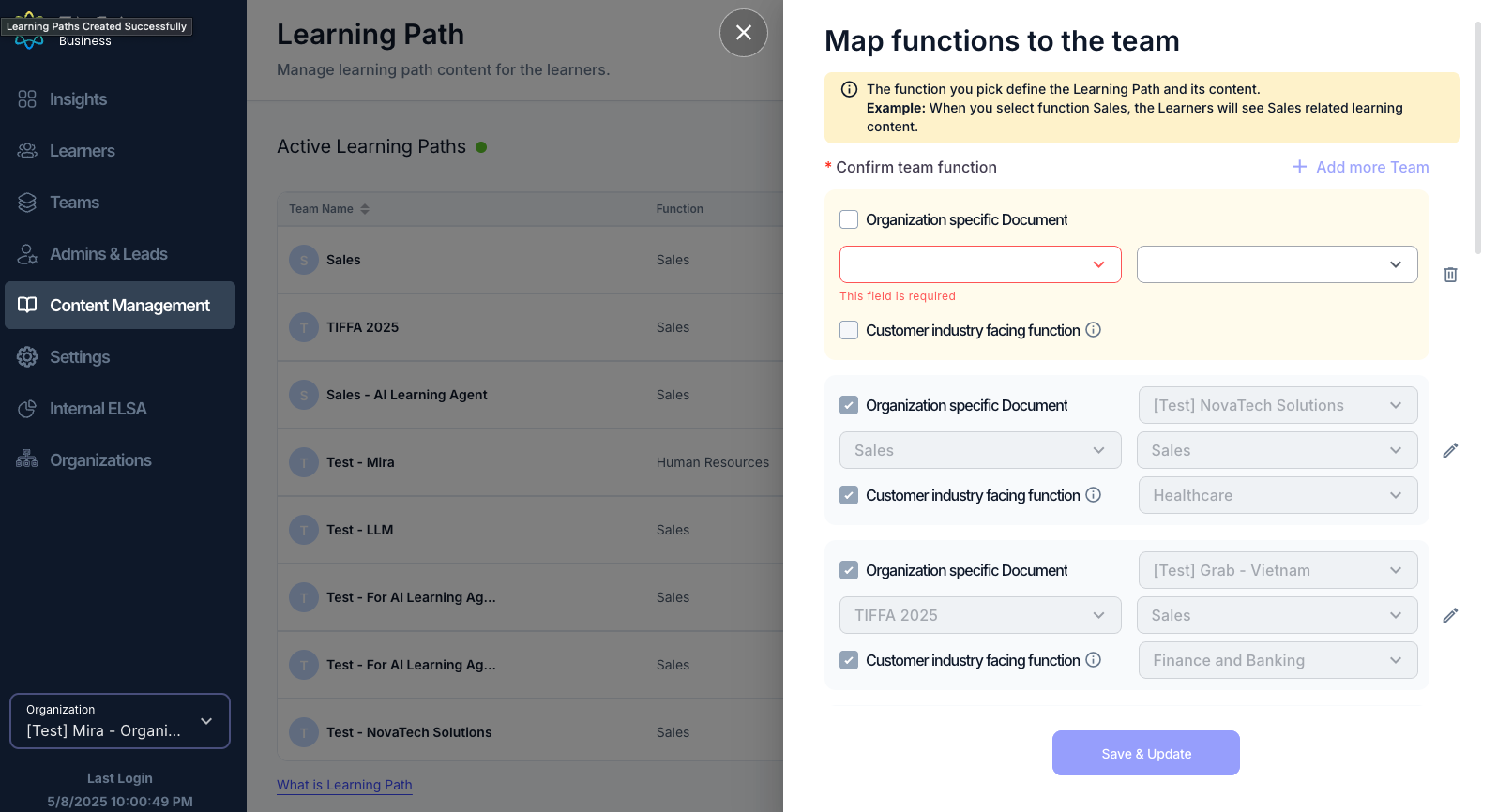
- If the team is customer-facing, ensure you check the box to assign customer-facing topics and select the most suitable industry for their learning path.
- Once you have selected the team and defined the relevant functions, click the "Save & Apply" button to finalize the learning path configuration for that team.
By following these steps, you can effectively configure Learning Paths in ELSA Business to provide targeted and relevant training content to your teams.
2. Change Learning Path Assigned to Teams
Navigate to the Content Management section.
Navigate to the Content Management section.
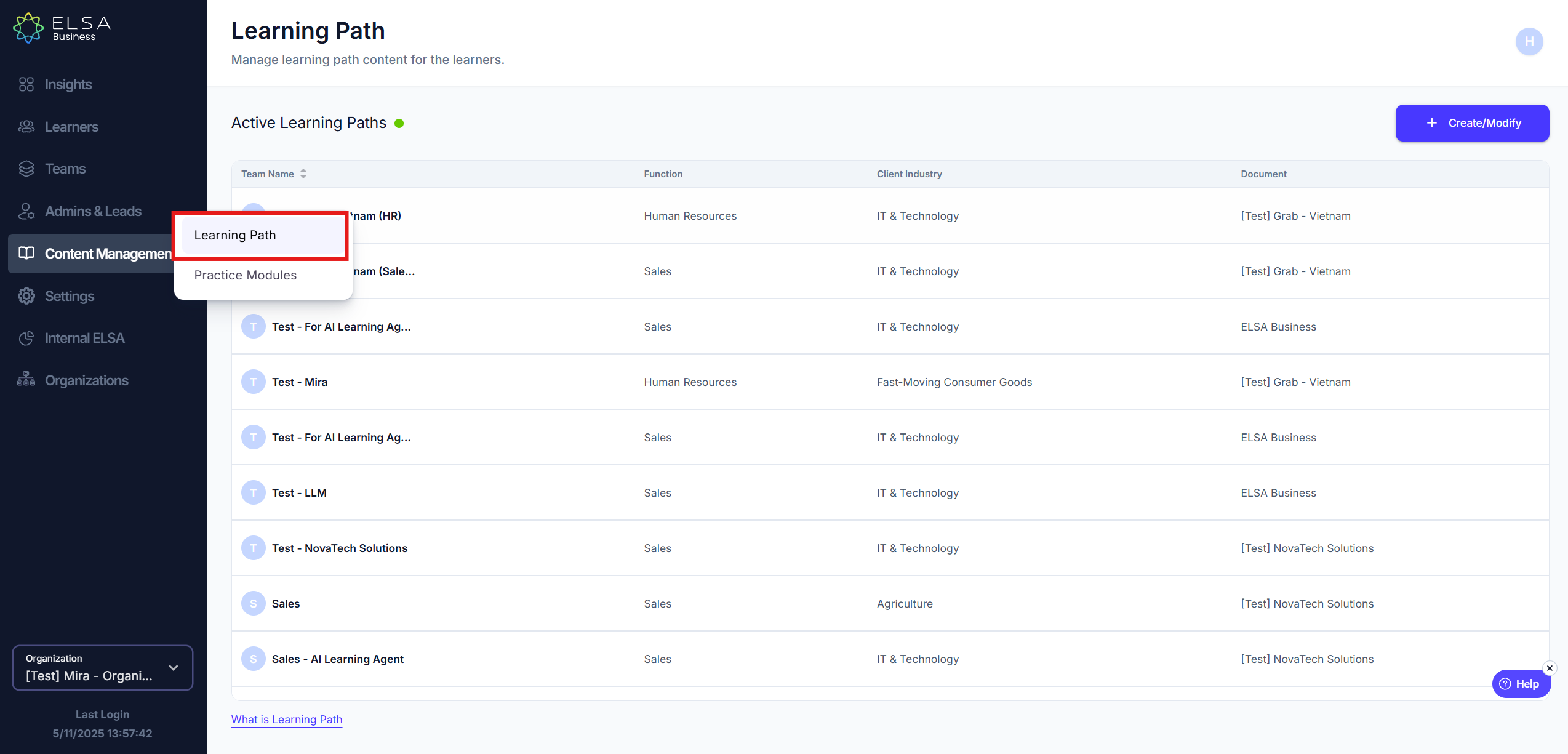
- Locate the Team that you would like to change the Learning Path for and click on the pencil button.
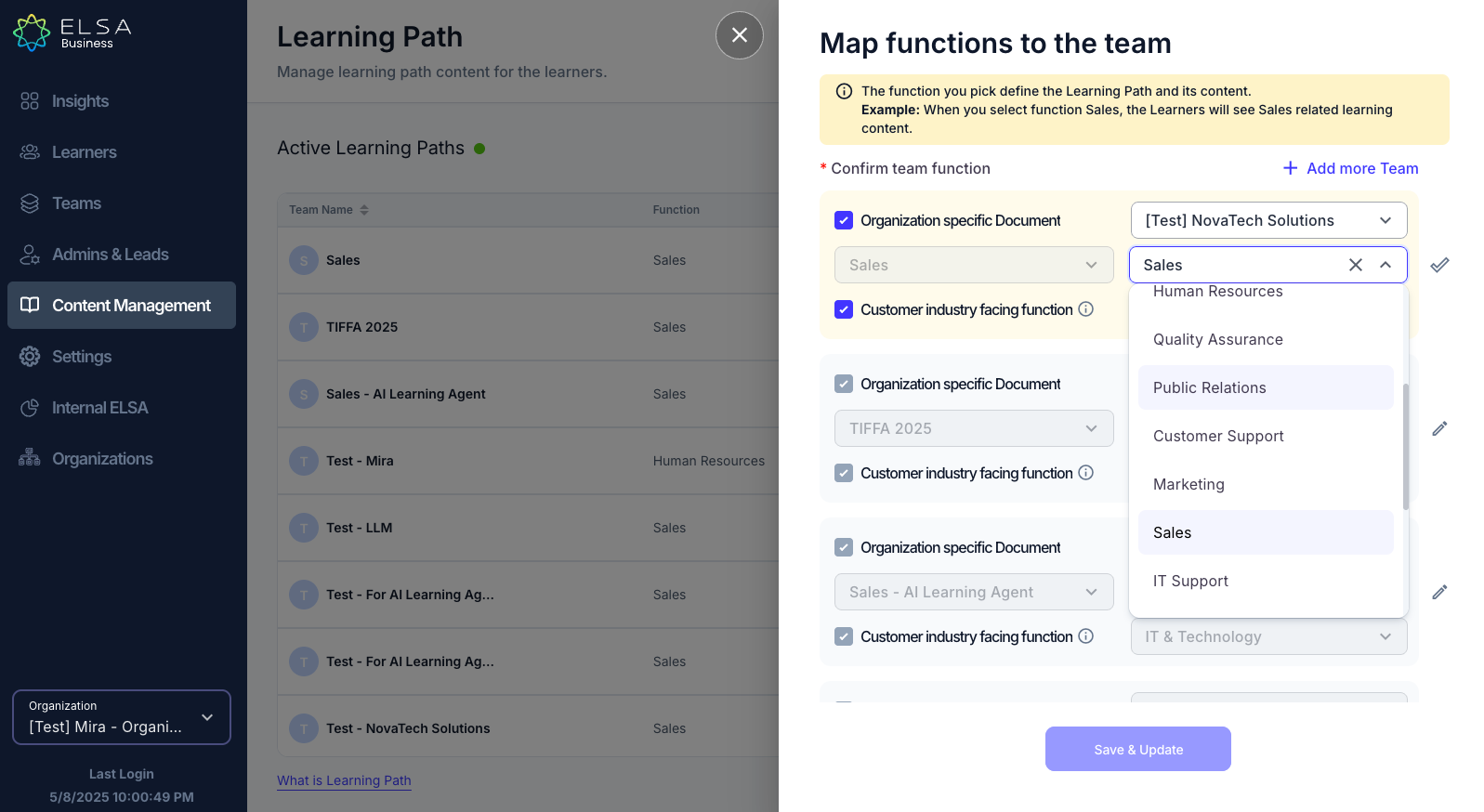
- Change the Job Function and Industry to change the Learning Path.
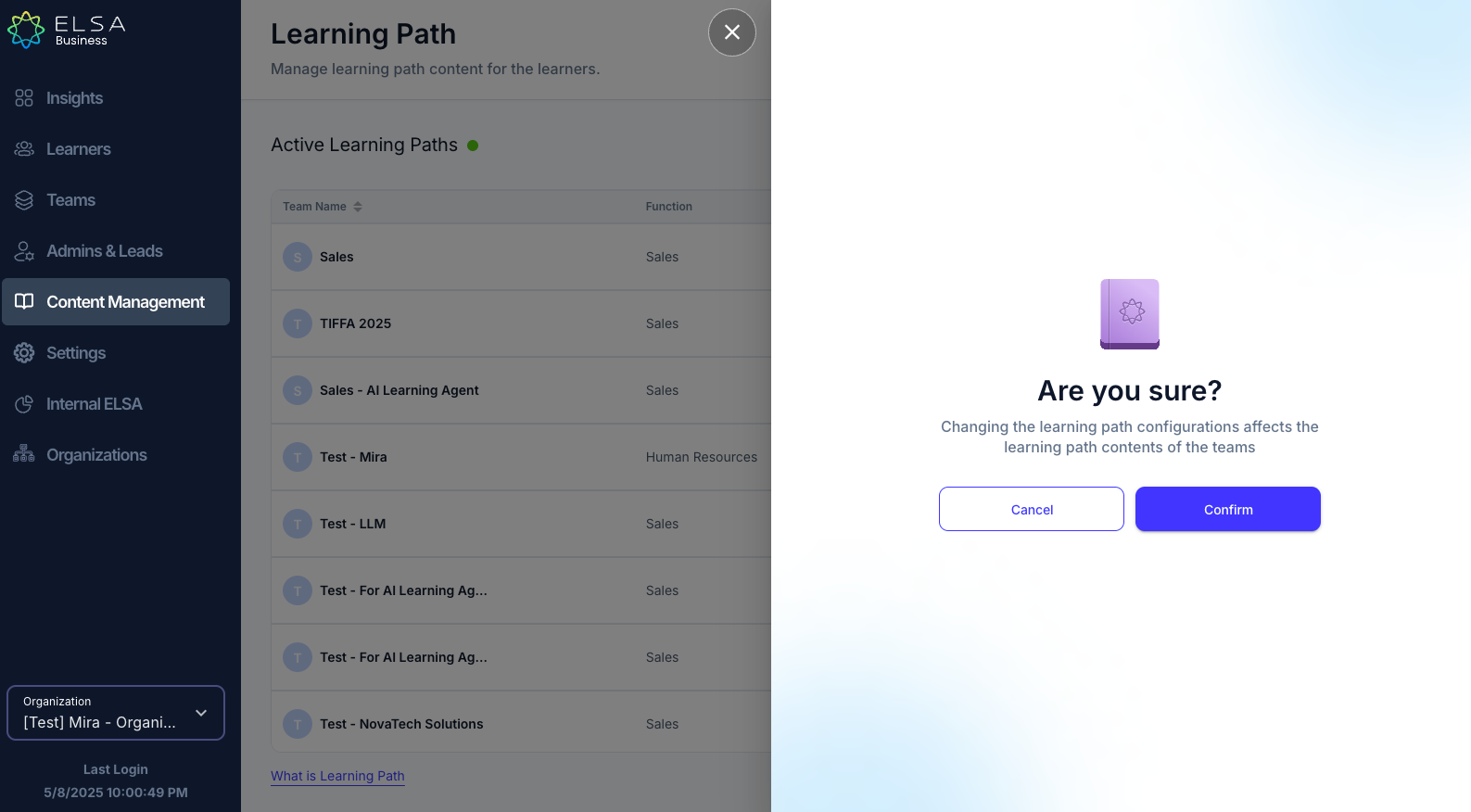
- Click "Save & Update". It will then show you a confirmation page and click "Confirm" to continue.
Was this article helpful?
That’s Great!
Thank you for your feedback
Sorry! We couldn't be helpful
Thank you for your feedback
Feedback sent
We appreciate your effort and will try to fix the article