Navigate to the Content Management section in the ELSA Business dashboard.
Select the Learning Path tab.
Click "Create / Modify" button.
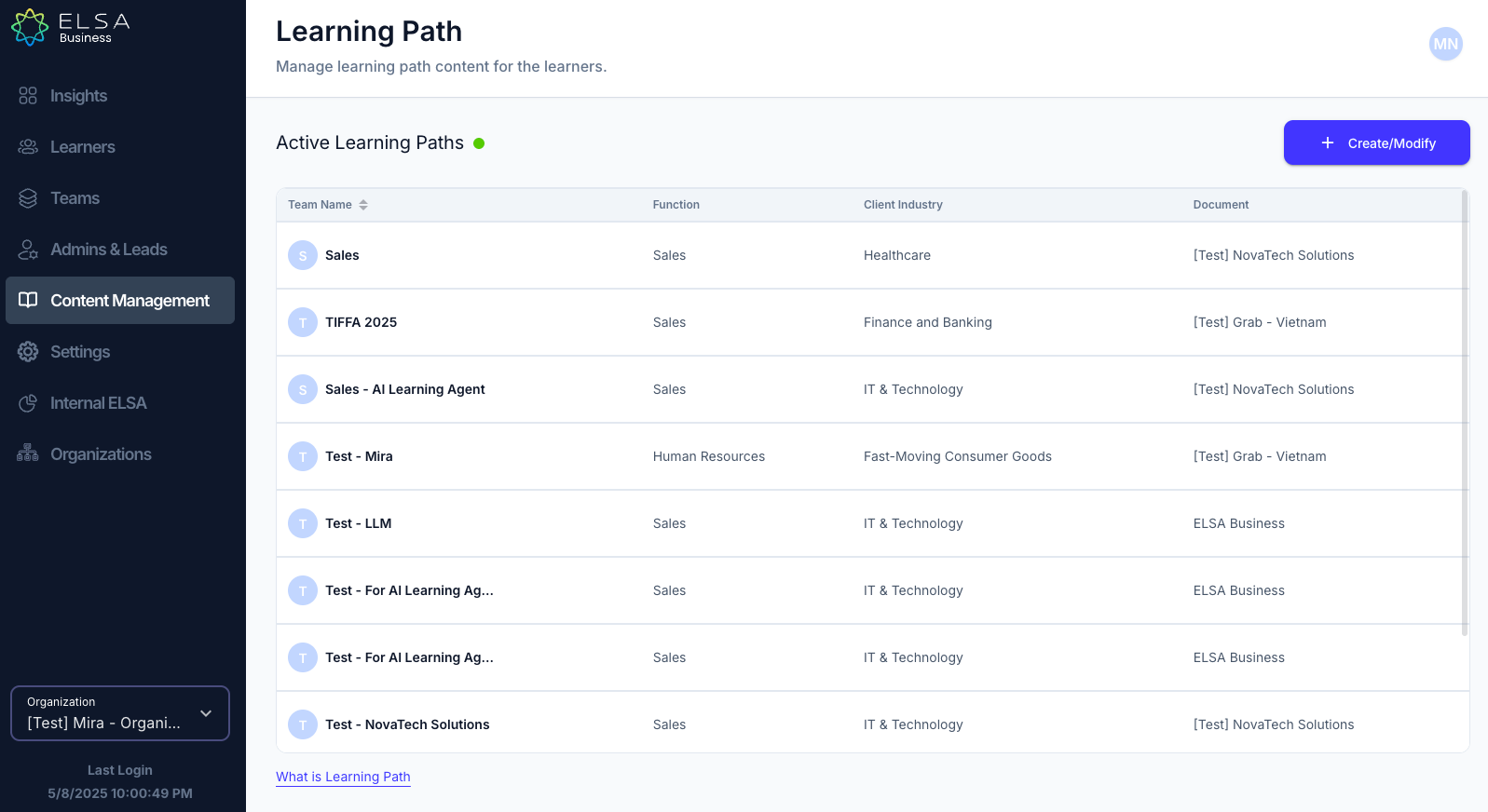
- Locate the Team that you would like to change the Learning Path for and click on the pencil button.
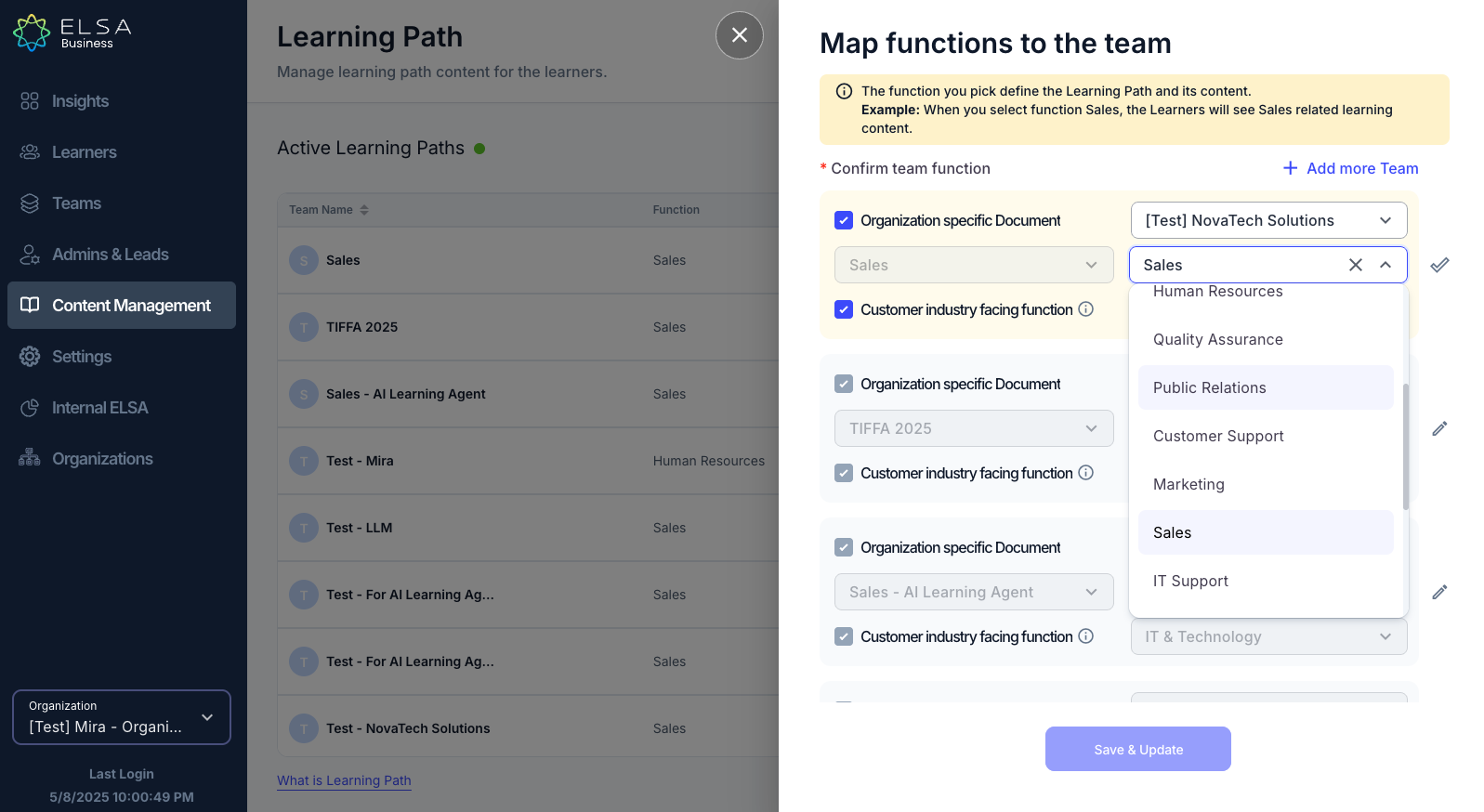
- Change the Job Function and Industry to change the Learning Path.
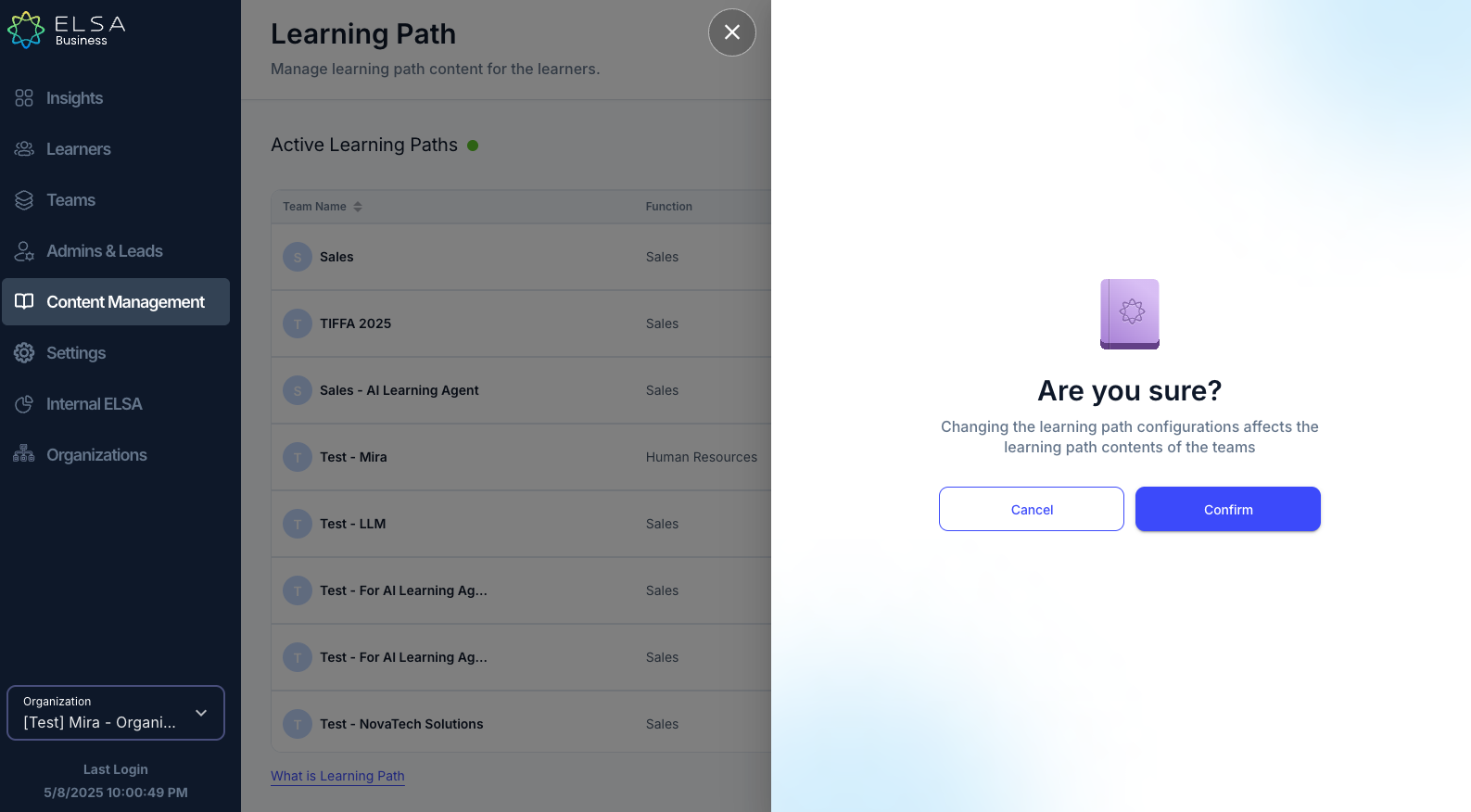
- Click "Save & Update". It will then show you a confirmation page and click "Confirm" to continue.
Was this article helpful?
That’s Great!
Thank you for your feedback
Sorry! We couldn't be helpful
Thank you for your feedback
Feedback sent
We appreciate your effort and will try to fix the article