If you forget your password, you can reset the password in ELSA app on mobile devices. See the below instruction:
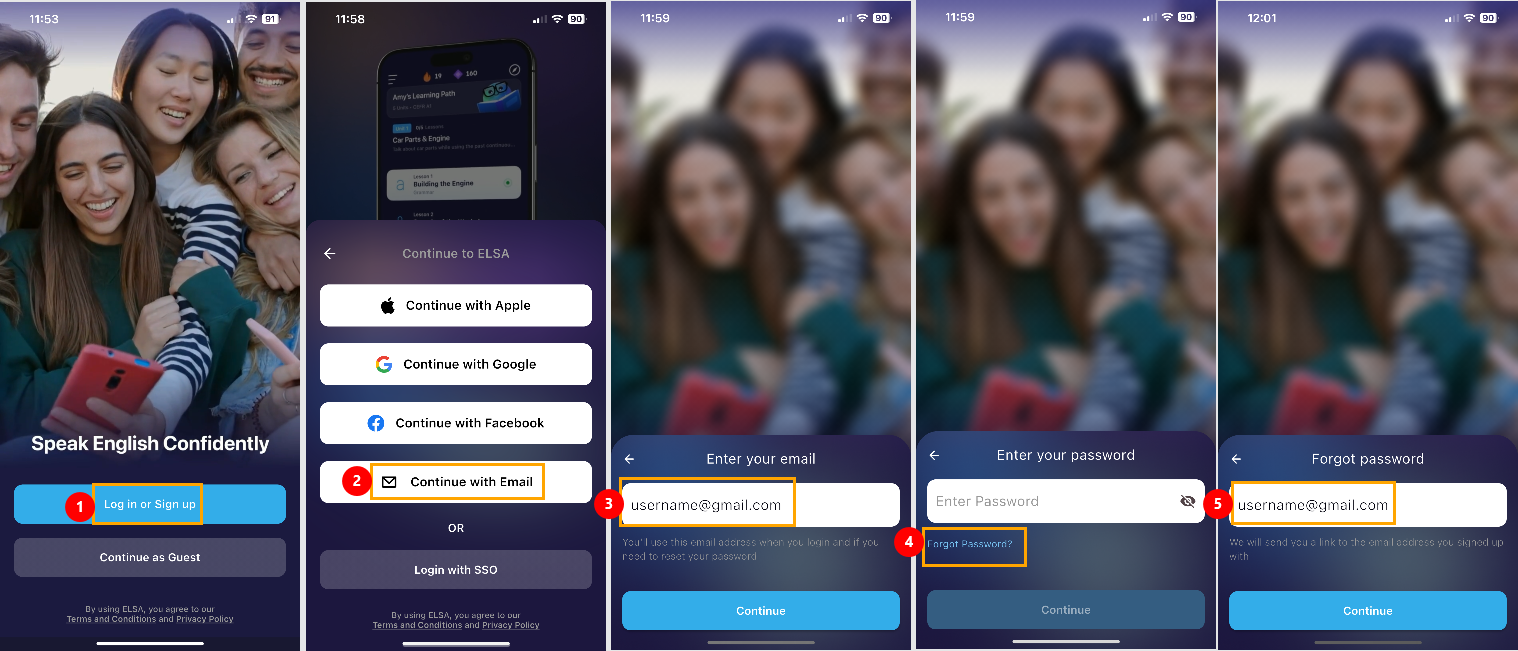
- Choose Login or Sign up
- Continue with Email
- Enter the email of your ELSA account into the box.
- Click “Forgot Password”
- Enter the email. A link to reset the password will be sent to this email.
6. Open the email of the ELSA account and look for the email from ELSA with title “Reset ELSA Account Password“. Check Spam/Promotion inbox in case you have not received this email.the
7. Click the link to be directed to a website. From there, enter the new password 2 times and click “Set password”.
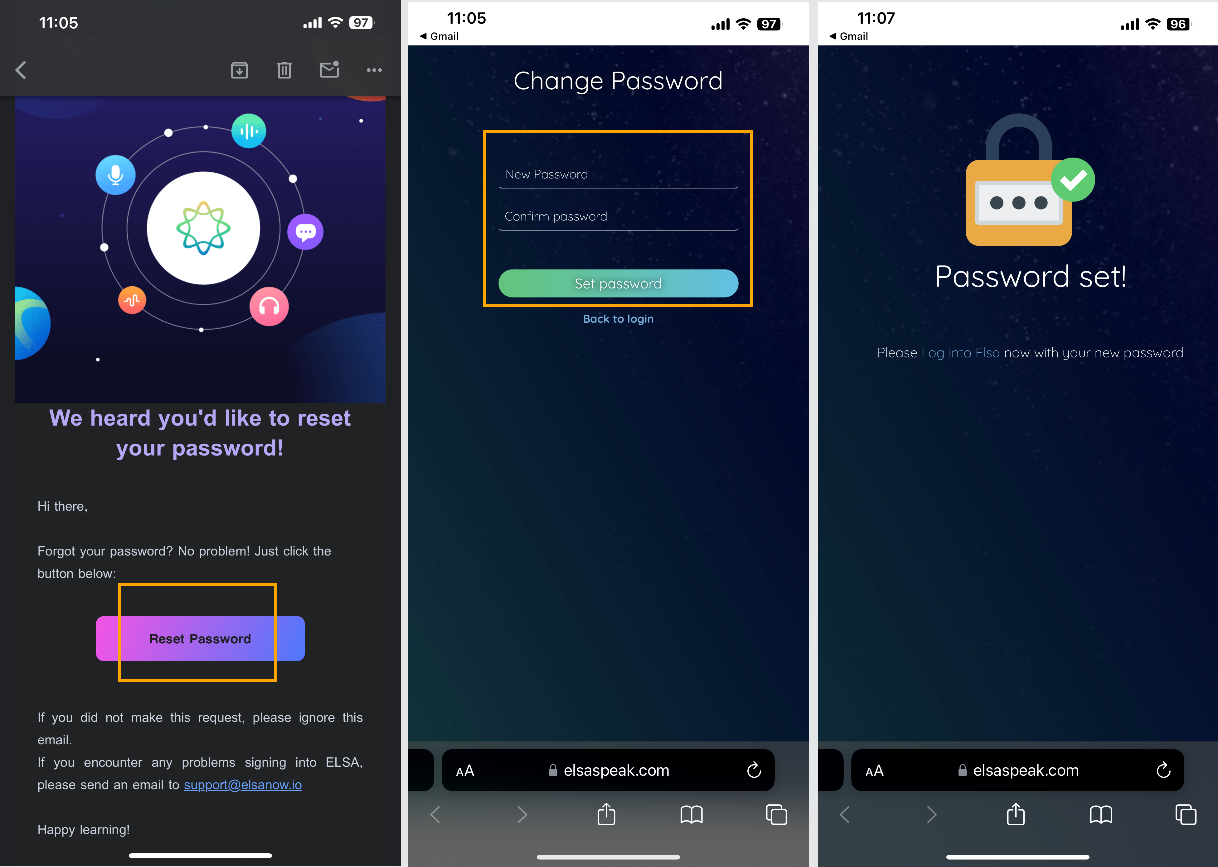
After you have set the password successfully, please open ELSA Speak application and log in by your email and the new password you just reset.
Was this article helpful?
That’s Great!
Thank you for your feedback
Sorry! We couldn't be helpful
Thank you for your feedback
Feedback sent
We appreciate your effort and will try to fix the article