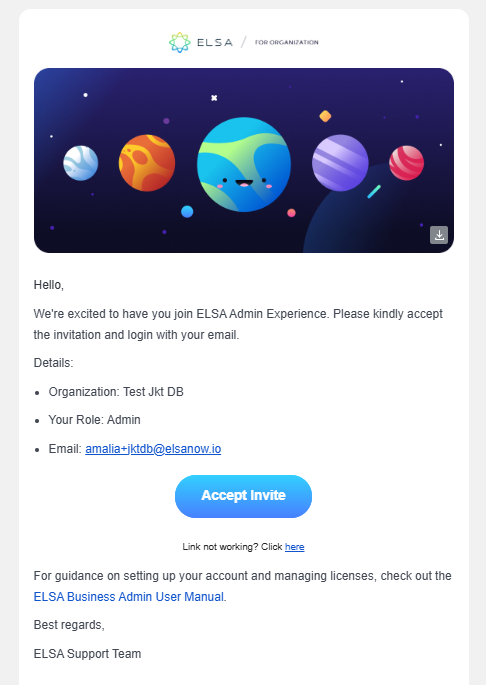
1. You will receive an email invitation to join ELSA as an admin via your organization email.

2. Open the email and click "Accept Invite." A new tab will open, prompting you to set up your login credentials for access to the ELSA Dashboard.
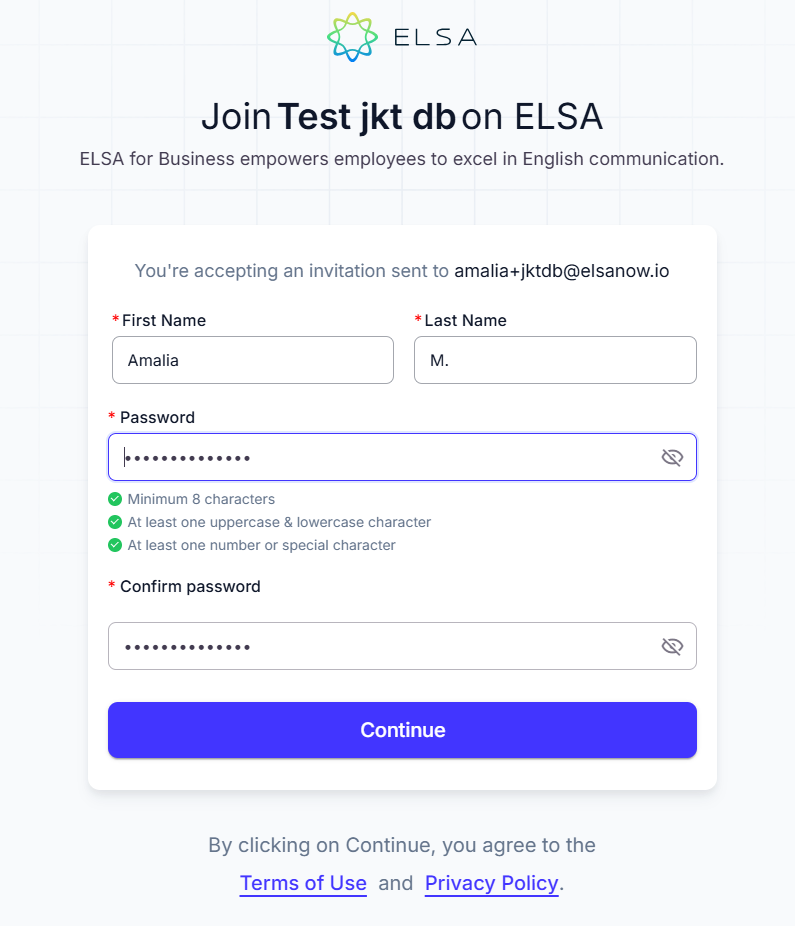
3. After accepting the invite from your email, you will be redirected to the profile creation page. Enter your First Name, Last Name, and Password, then click Continue to proceed.
4. After creating your profile, you'll be directed to ELSA’s Dashboard then continue setting up your organization’s dashboard by:
- Inviting More Admins
- Creating teams based on organizational functions
- Configuring learning paths
- Inviting new learners to ELSA
Complete all steps to prevent the setup guide from reappearing.
Was this article helpful?
That’s Great!
Thank you for your feedback
Sorry! We couldn't be helpful
Thank you for your feedback
Feedback sent
We appreciate your effort and will try to fix the article