To update and manage Admin roles within your organization:
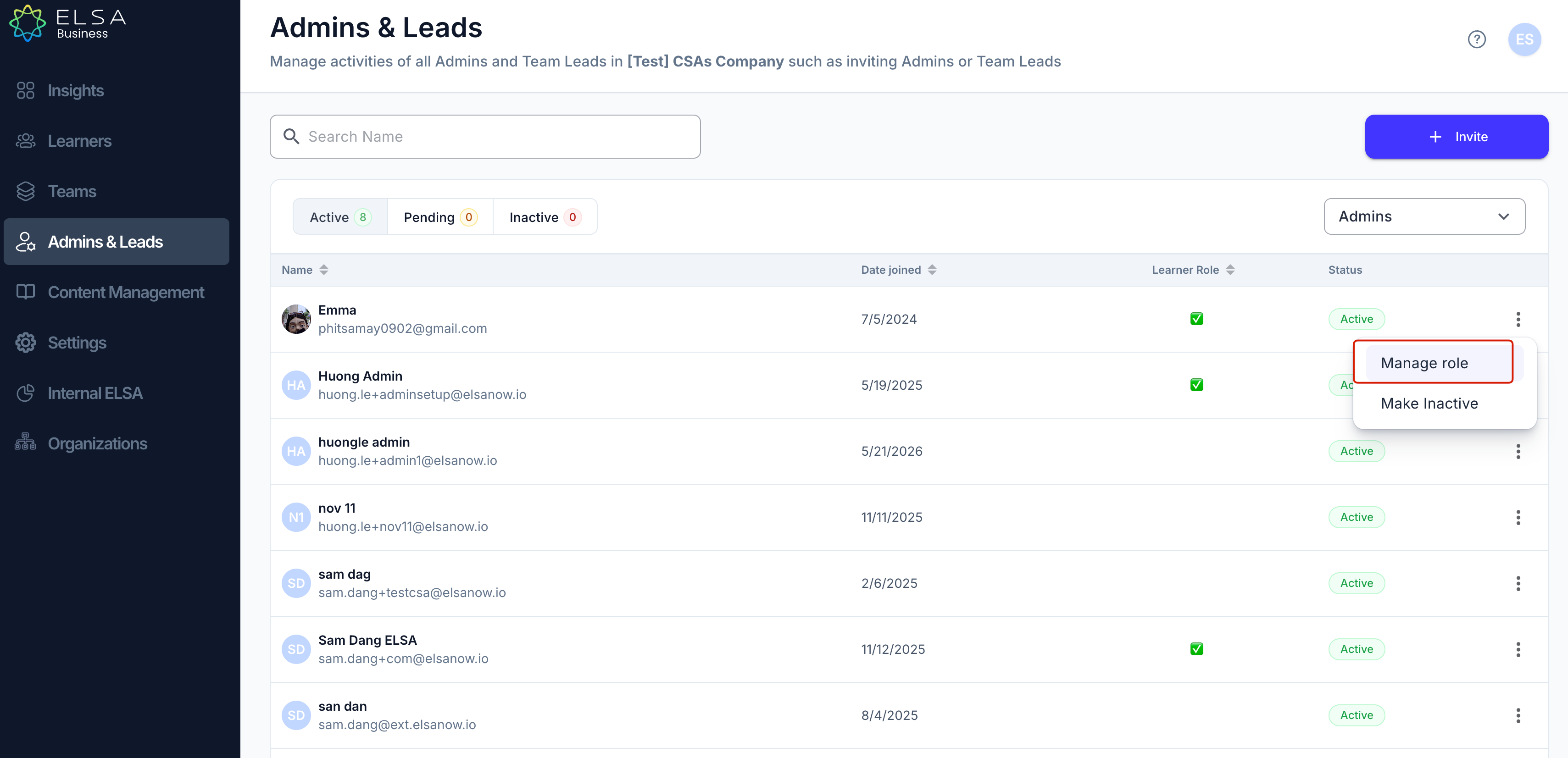
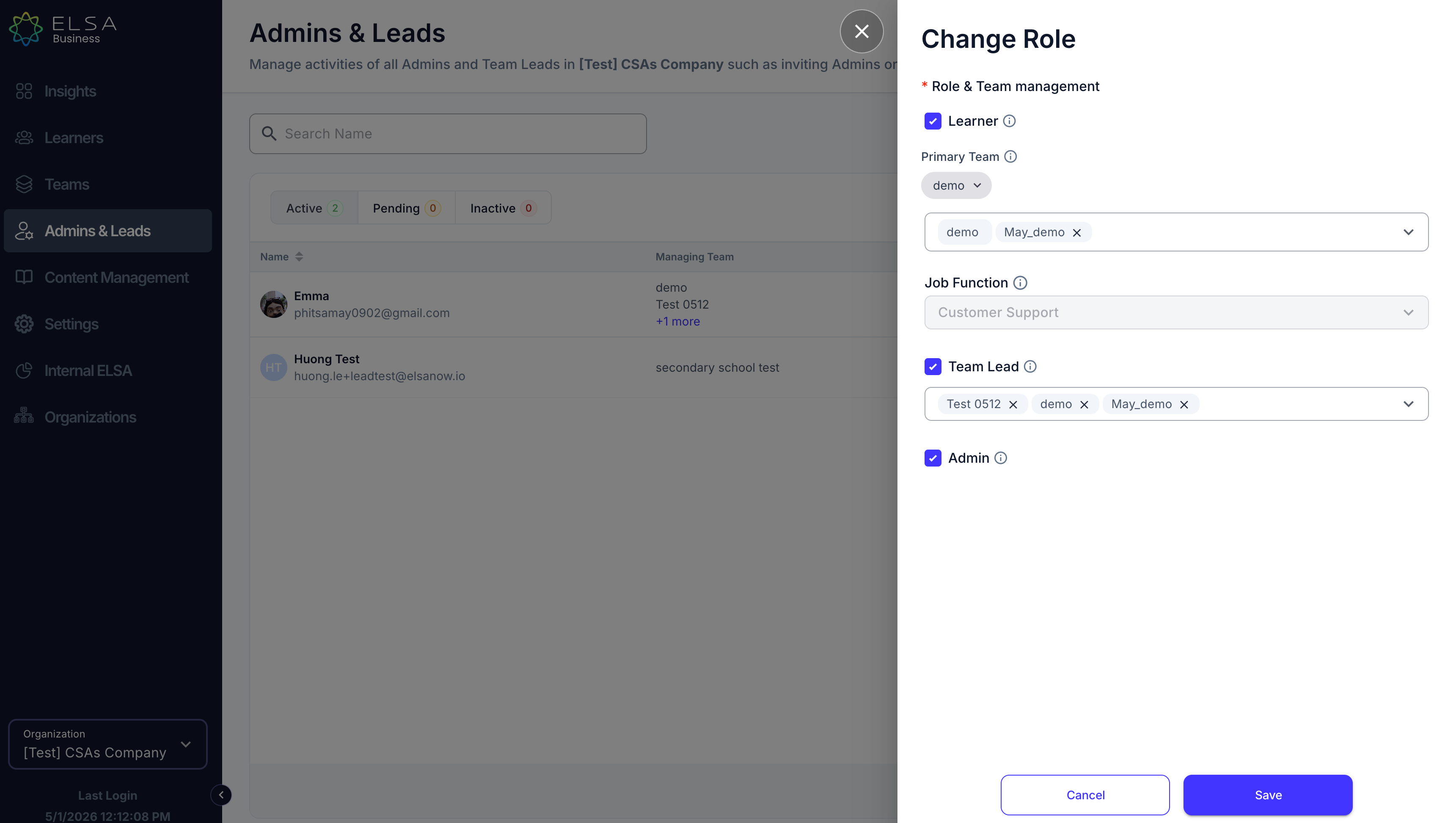
1. In the Admin and Leads tab, you can manage your organization's admins. Click the ellipsis on the right side and choose "Manage Role".
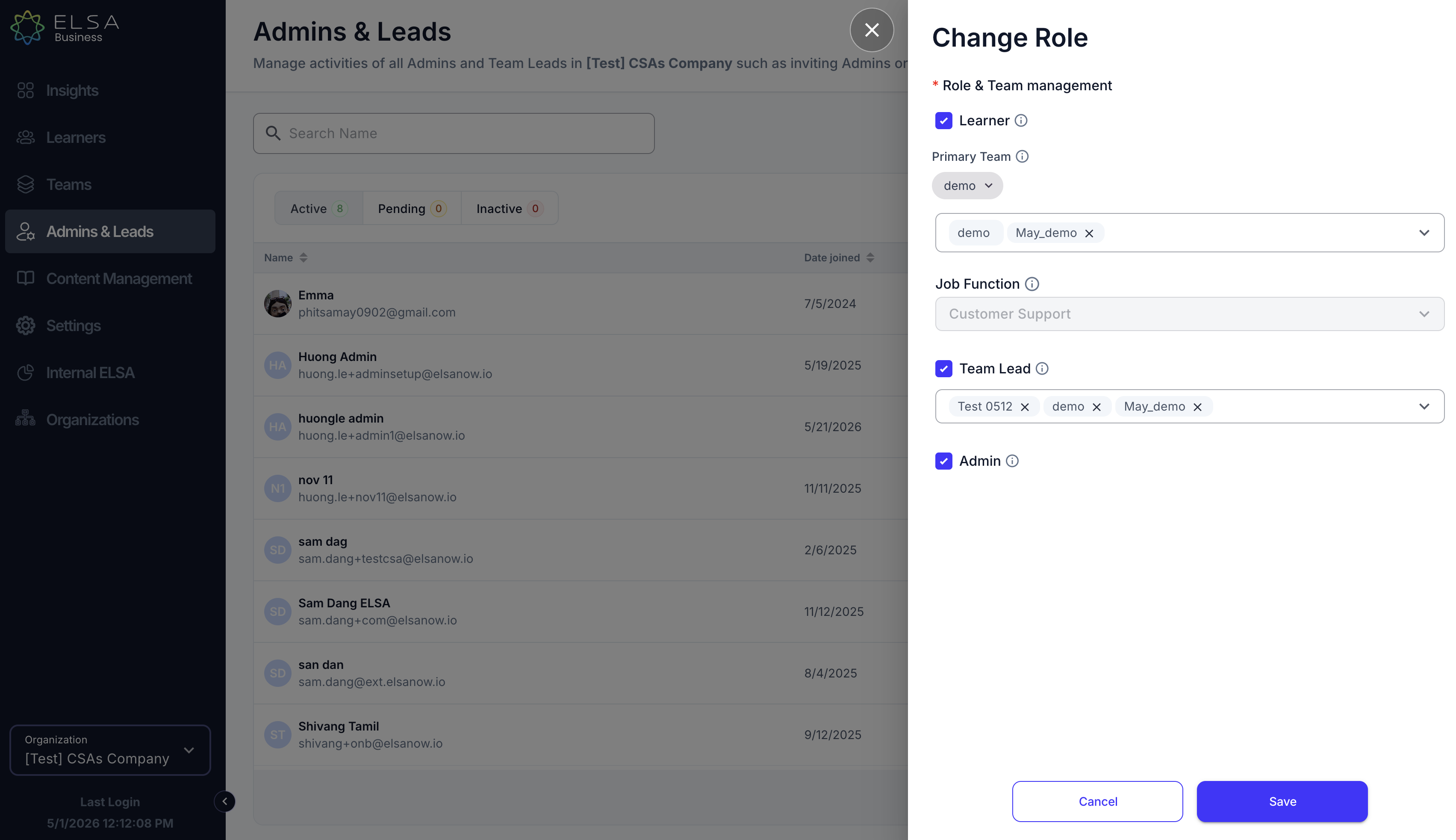
2. You will be able to change and add their role to Learner or Team Lead.
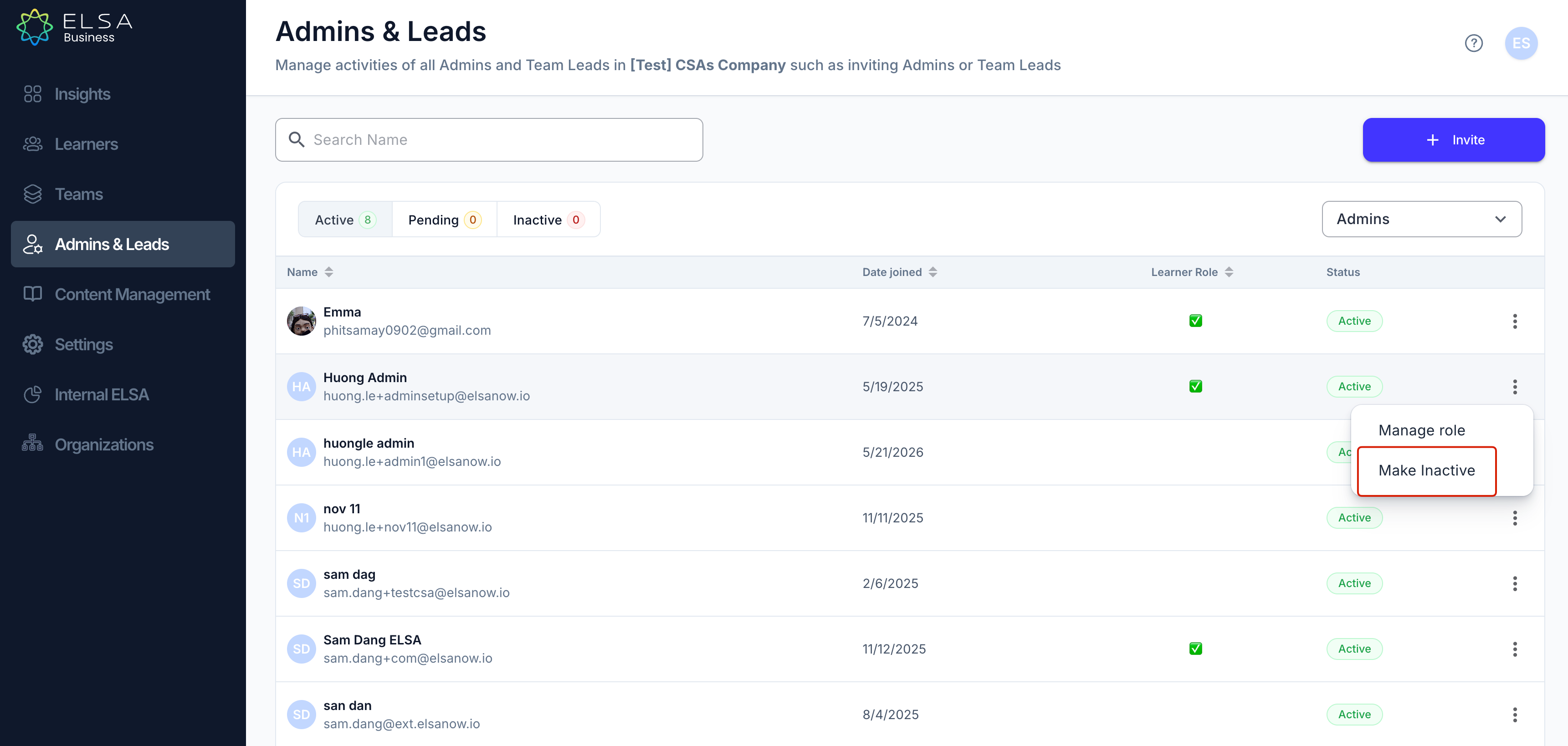
3. You can also deactivate an Admin here. Please note that by revoking their access as Admin, it will also remove their access to Speak App + Premium features.
To update and manage Team Leads within your organization:
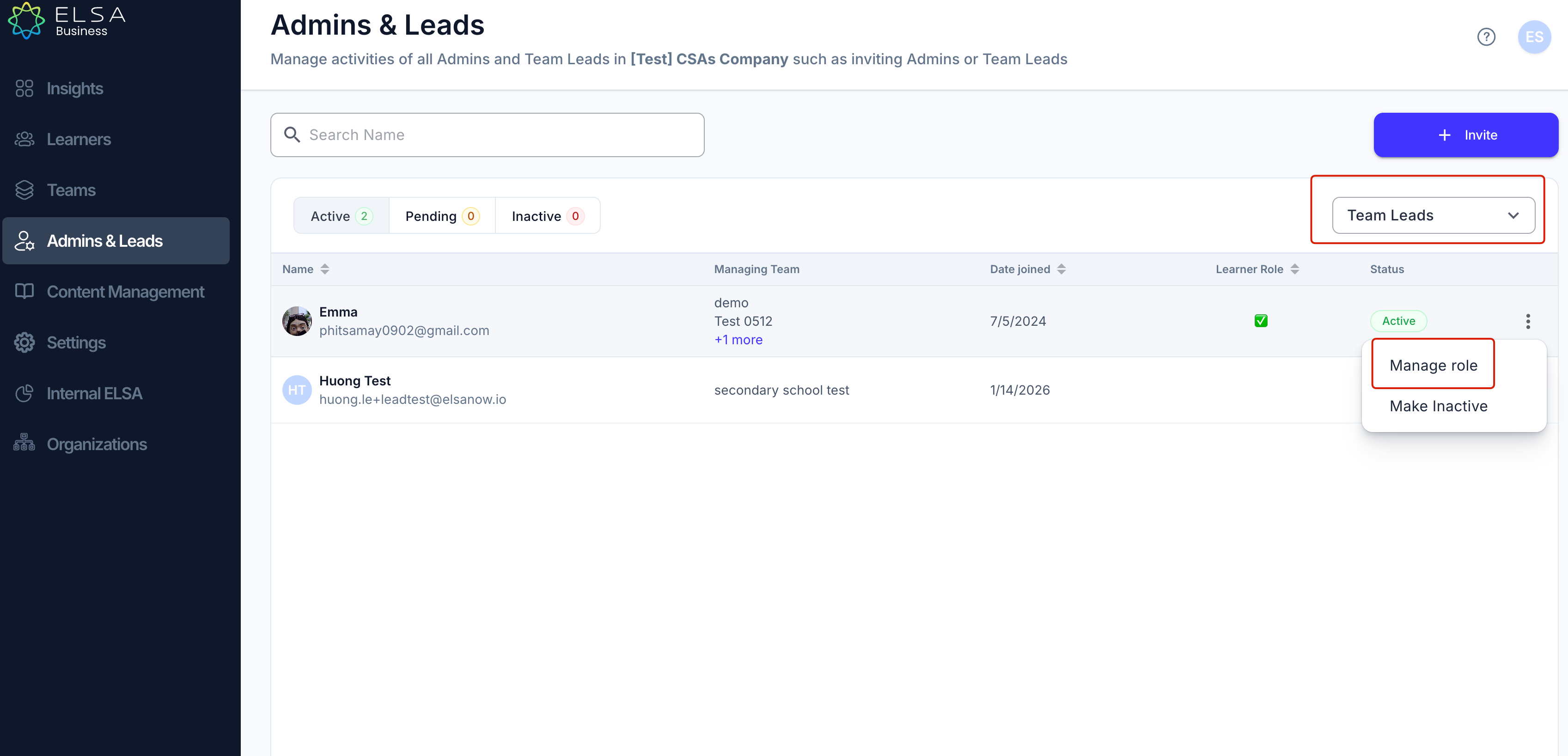
1. In the Admin and Leads tab, you can manage team leads. Use the drop-down menu to select "Team Leads".
2. Click on the ellipsis for the Team Lead that you want to manage, and choose "Manage Role" to view or update their details.
3. You will be able to change and add their role to Learner or Team Lead.
Was this article helpful?
That’s Great!
Thank you for your feedback
Sorry! We couldn't be helpful
Thank you for your feedback
Feedback sent
We appreciate your effort and will try to fix the article