Team Leads support Admins by managing their assigned teams. They can assign tasks to learners / their team, view team / learner performance insights, and help learners stay on track — without access to org-wide settings.
To manage your Team Leads, please follow the simple steps below:
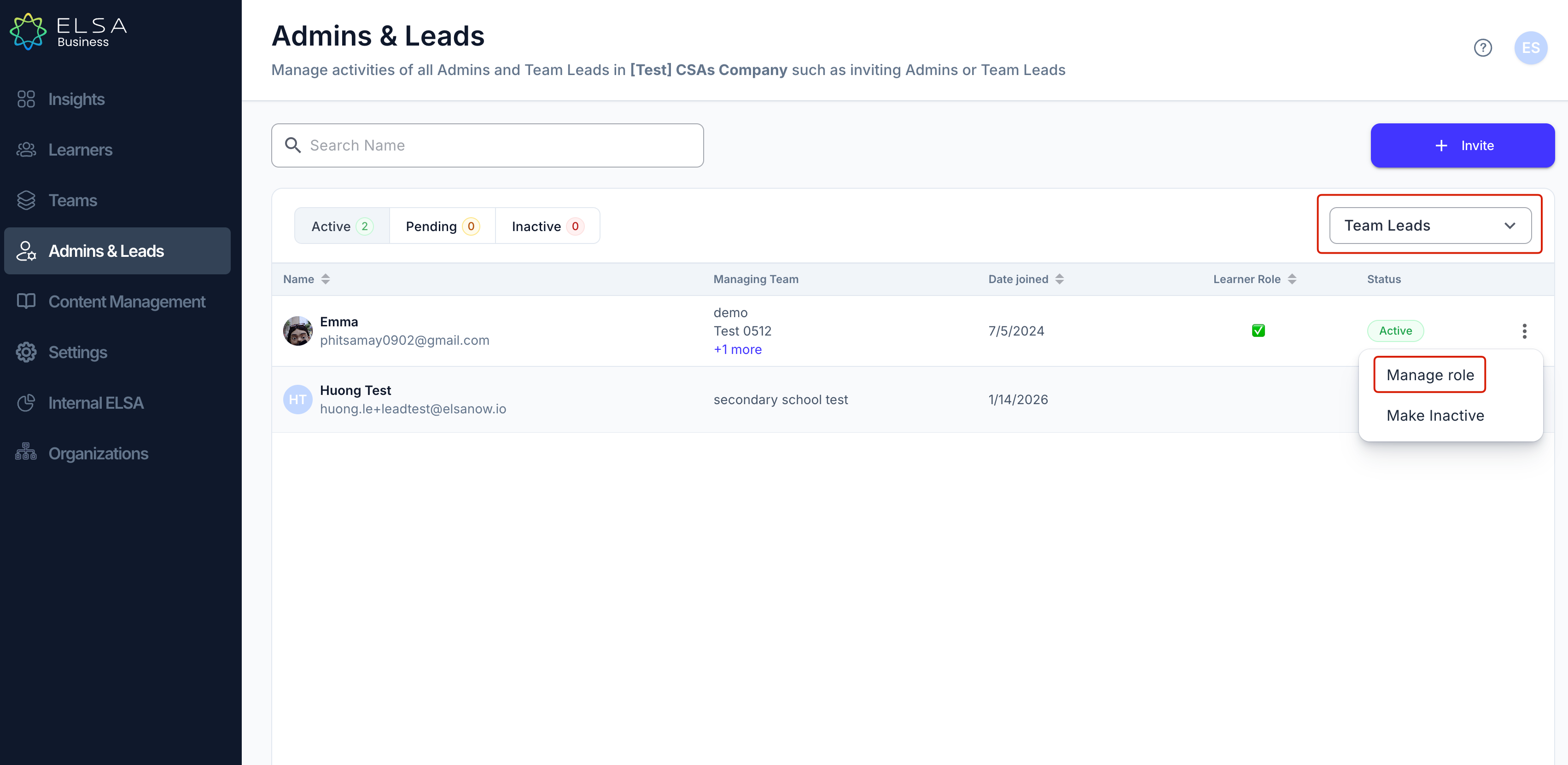
1. In the Admin and Leads tab, you can manage team leads. Use the drop-down menu to select "Team Lead".
2. Click on the ellipsis for the Team Lead that you want to manage, and choose "Manage Role" to view or update their details.
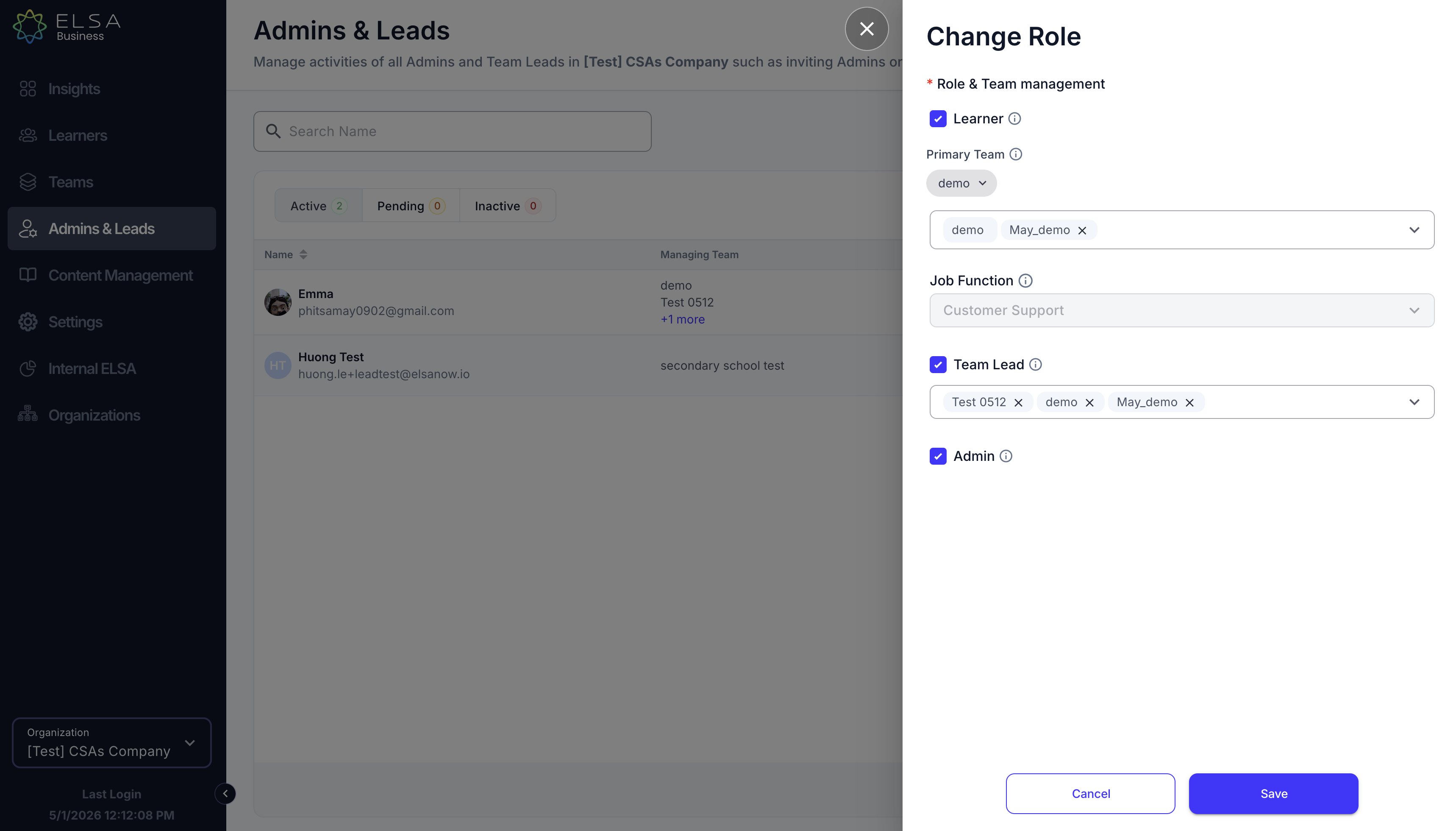
3. You can change their role and add new teams for the team lead.
Was this article helpful?
That’s Great!
Thank you for your feedback
Sorry! We couldn't be helpful
Thank you for your feedback
Feedback sent
We appreciate your effort and will try to fix the article