To elevate the role of a Team Lead to Admin, please follow these simple steps:
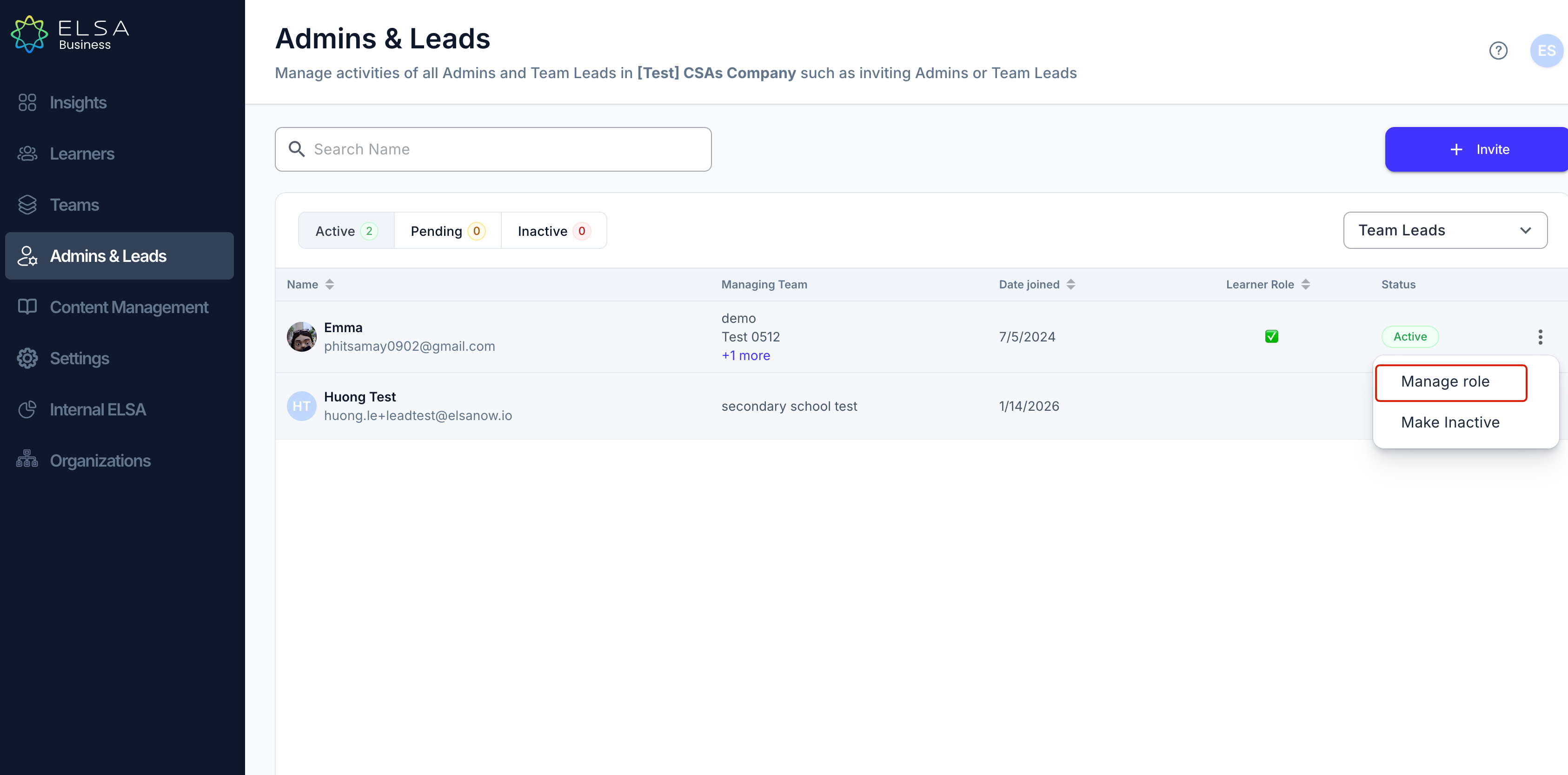
In the "Admins & Leads" tab, use the drop-down menu to select "Team Leads".
Locate the team lead you wish to manage.
Click the ellipsis (⋮) next to the team lead's name and select "Manage role".
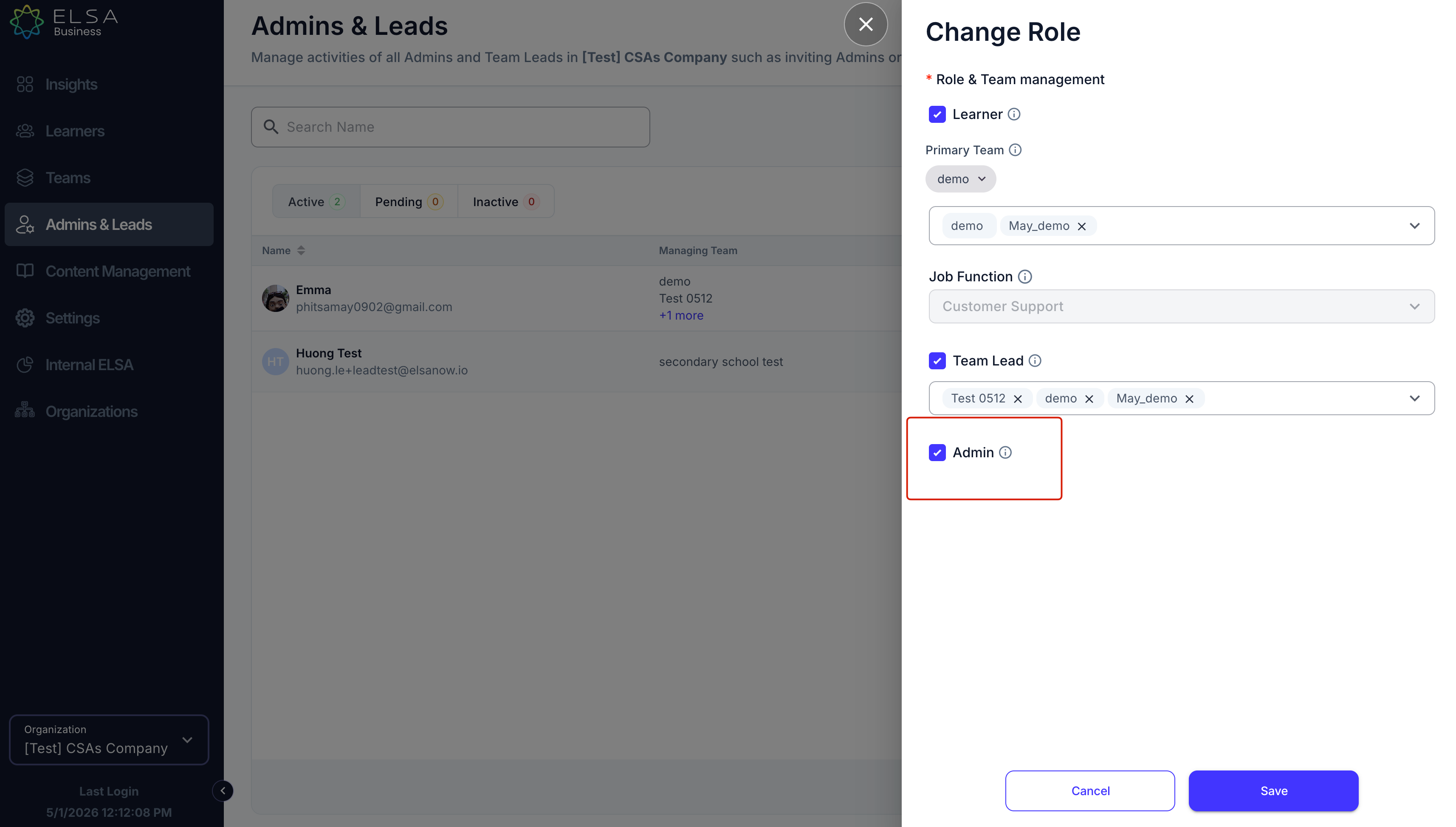
4. In the "Change Role" window, check the "Admin" box and click "Save". Confirm your action in the pop-up window.
Was this article helpful?
That’s Great!
Thank you for your feedback
Sorry! We couldn't be helpful
Thank you for your feedback
Feedback sent
We appreciate your effort and will try to fix the article