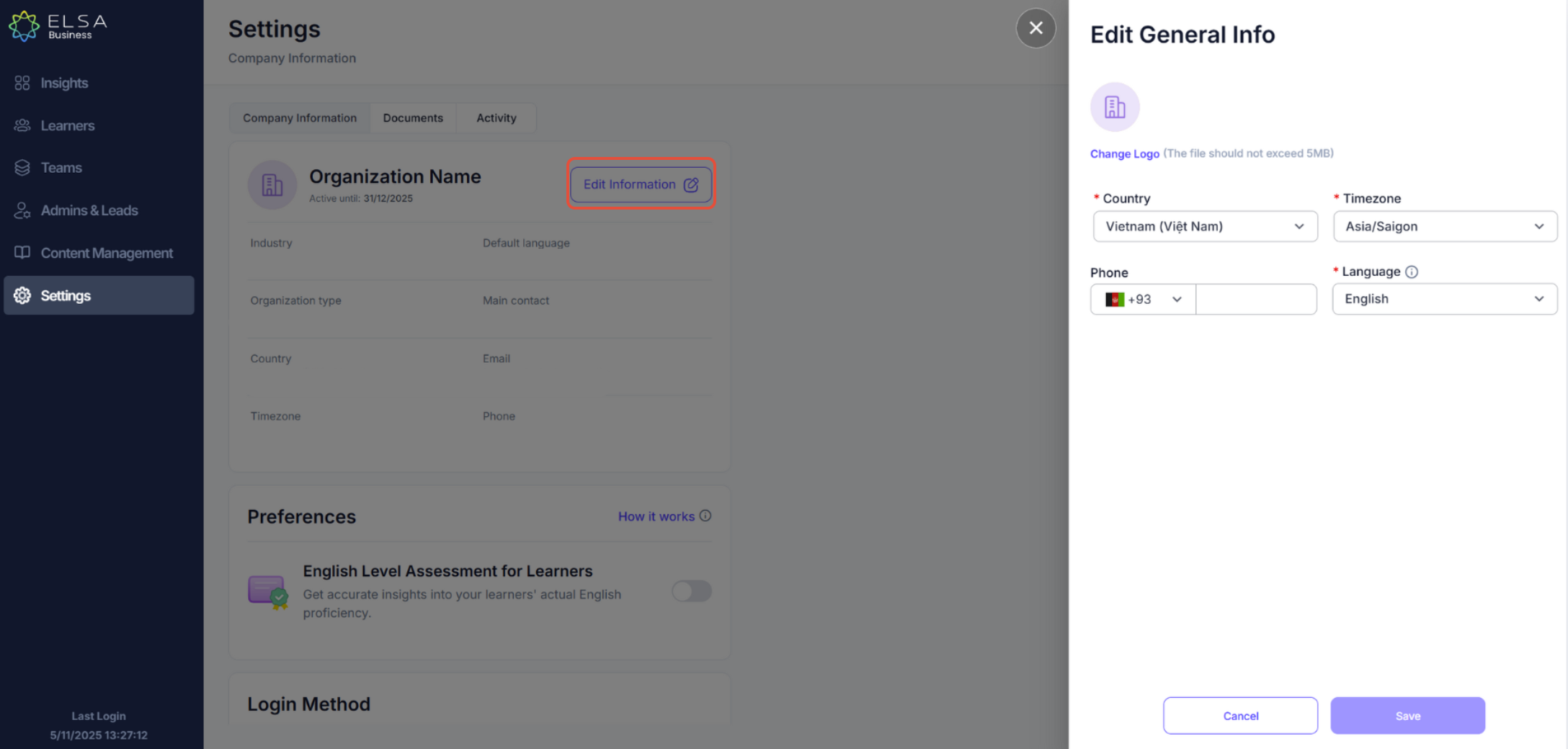
To modify your company information, please follow the simple steps below:
- Click "Edit Information" in the top right corner to update your organization's profile.
- You can modify details such as Country, Time Zone, Phone and Language.
Note: Changing the Time Zone or Language will apply to all users in your organization on ELSA.
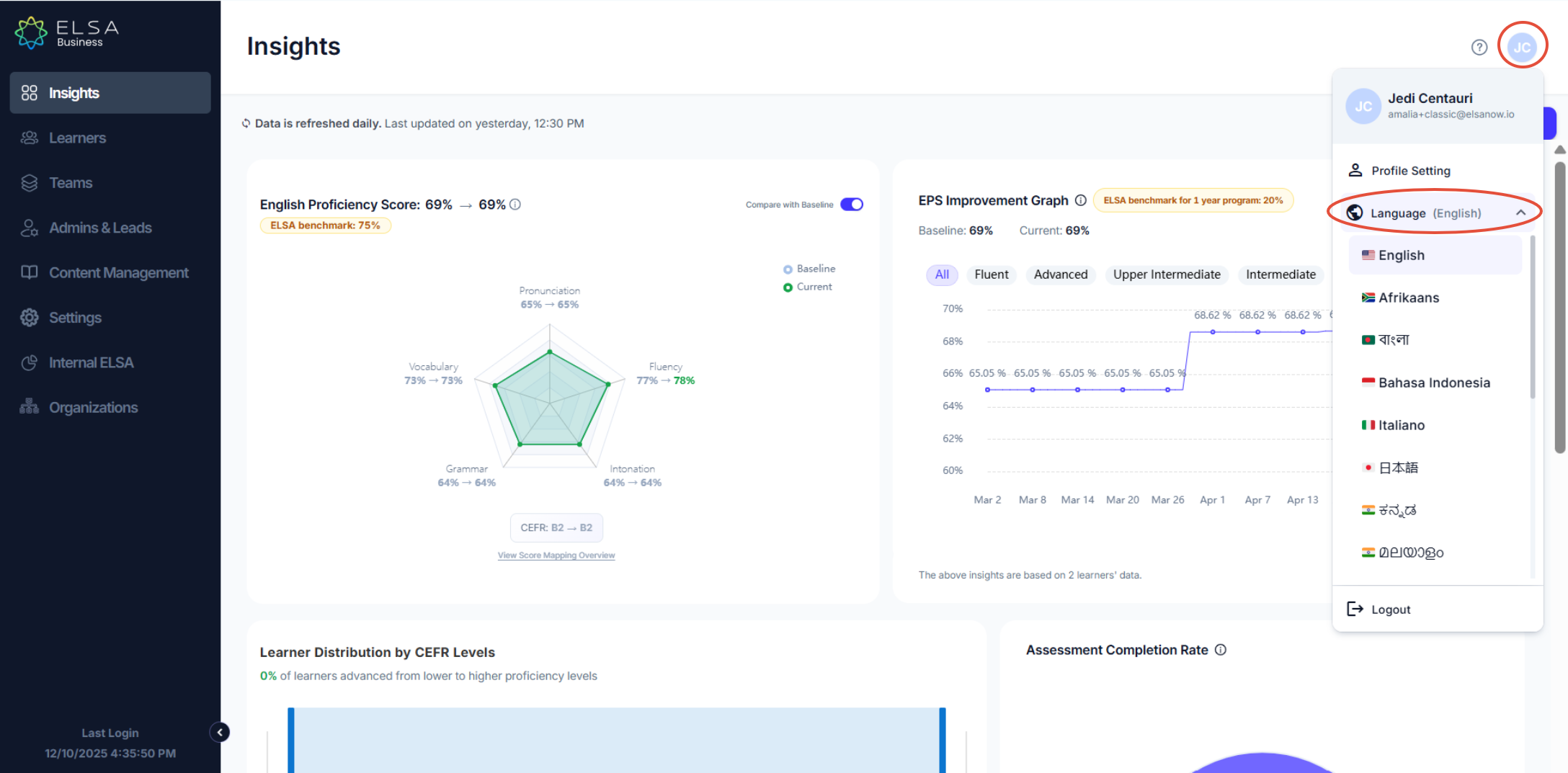
If you find that editing the language from the Settings section does not work, you can click your profile icon at the top right corner and choose your preferred language there.
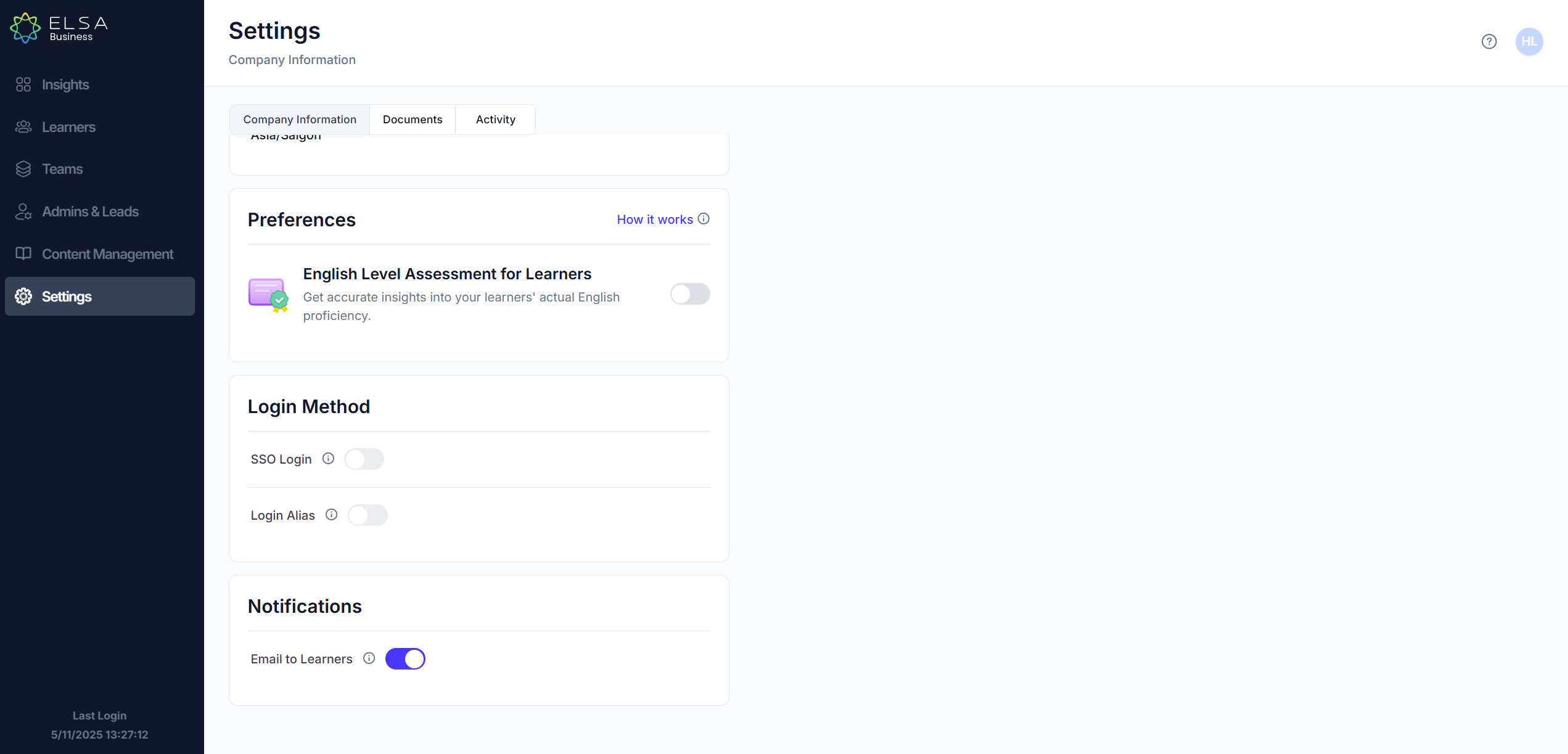
- Preferences - English Level Assessment for Learners: When turned on, learners must complete the assessment before starting their learning journey. When turned off, learners can choose to skip the assessment and start learning immediately.
- Notifications - Email to Learners: Control whether ELSA sends email notifications to your learners. Turn this off to manage signups manually-learners won't receive automated invitations or updates.
Was this article helpful?
That’s Great!
Thank you for your feedback
Sorry! We couldn't be helpful
Thank you for your feedback
Feedback sent
We appreciate your effort and will try to fix the article