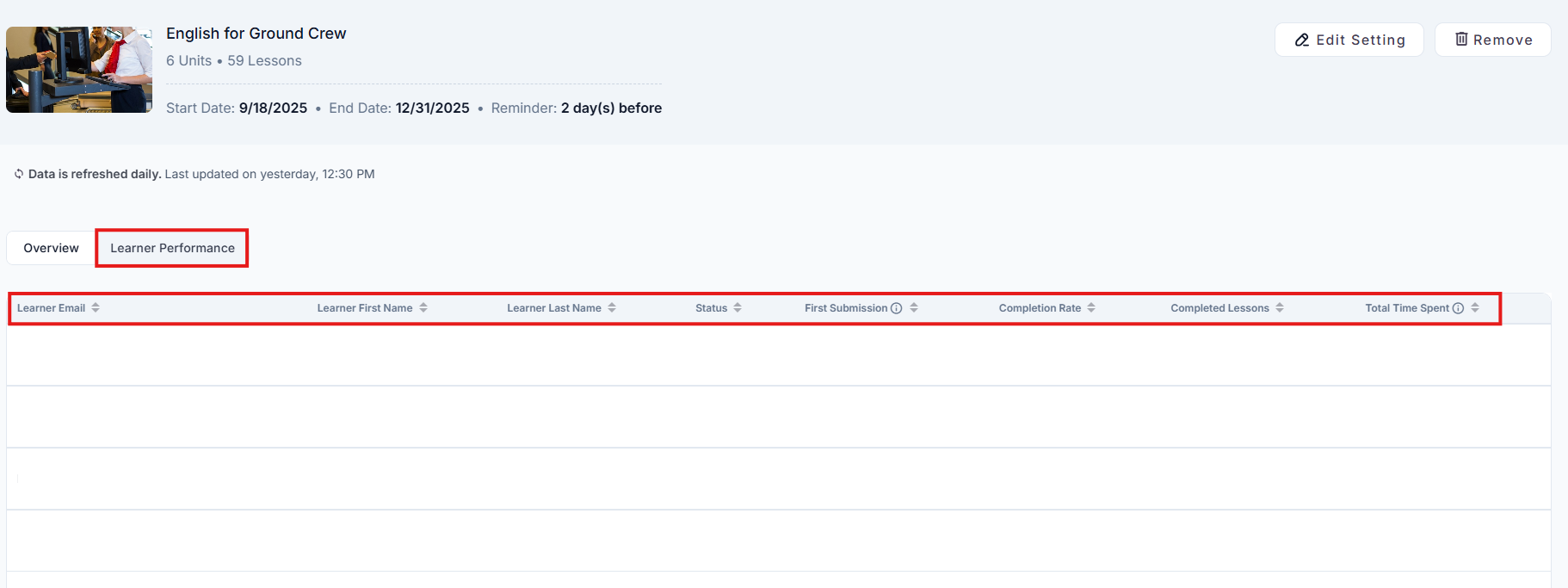
Admins / Team Leads can also see the number of Completed Lessons per Learner by following the simple steps below:
1. Navigate to the Teams section in the left-hand sidebar menu. This will display a list of all the teams within your organization.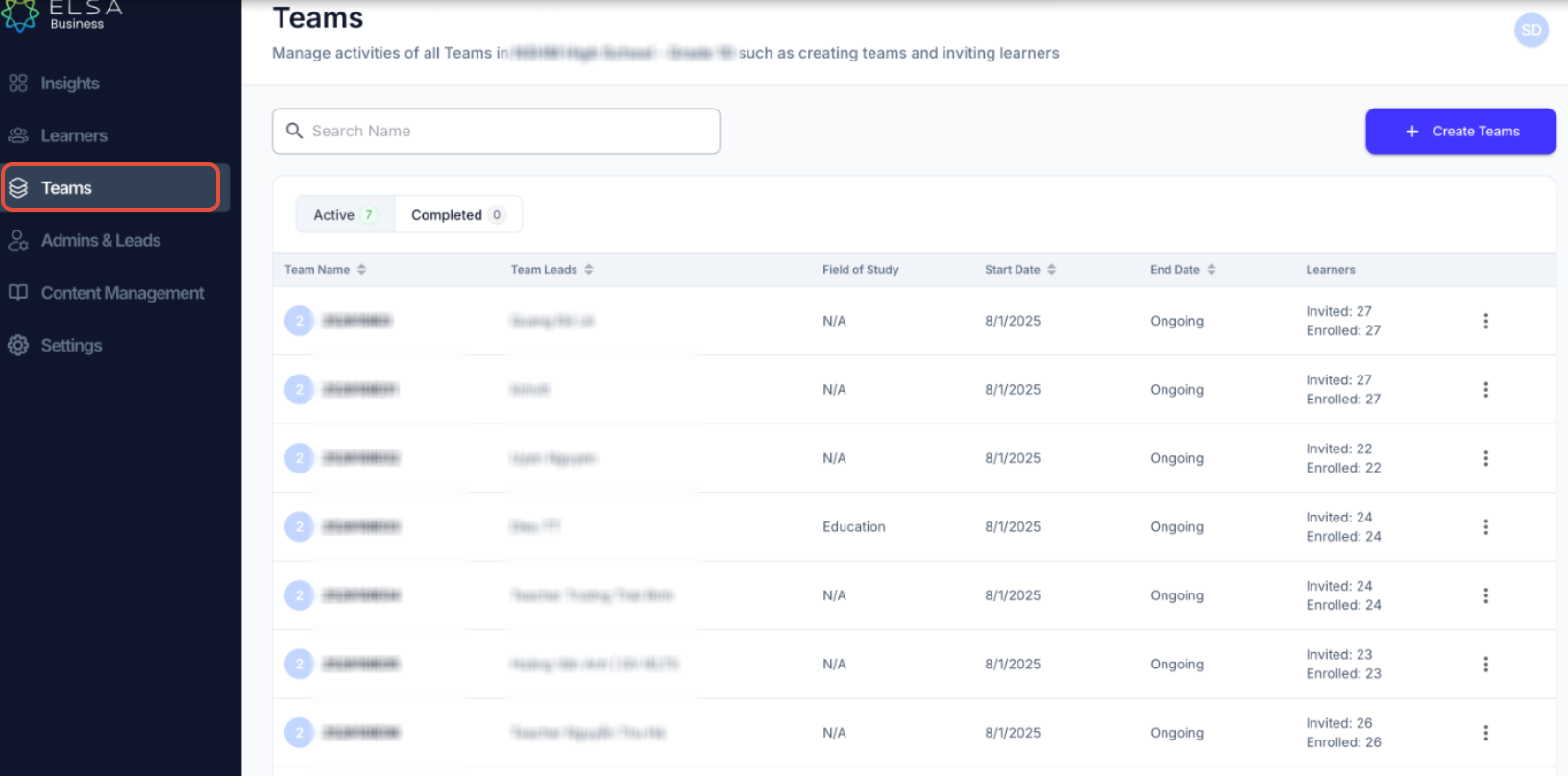
2. Locate the team for which you want to view the lesson completion rate per learner for practice modules and click on the Team Name.
3. On the team's overview page, you will see a secondary navigation menu below the team's name (e.g., Learners, Team Leads, Practice Modules). Click on the Practice Modules tab. You will now see a list of all the practice modules that have been assigned to the selected team.
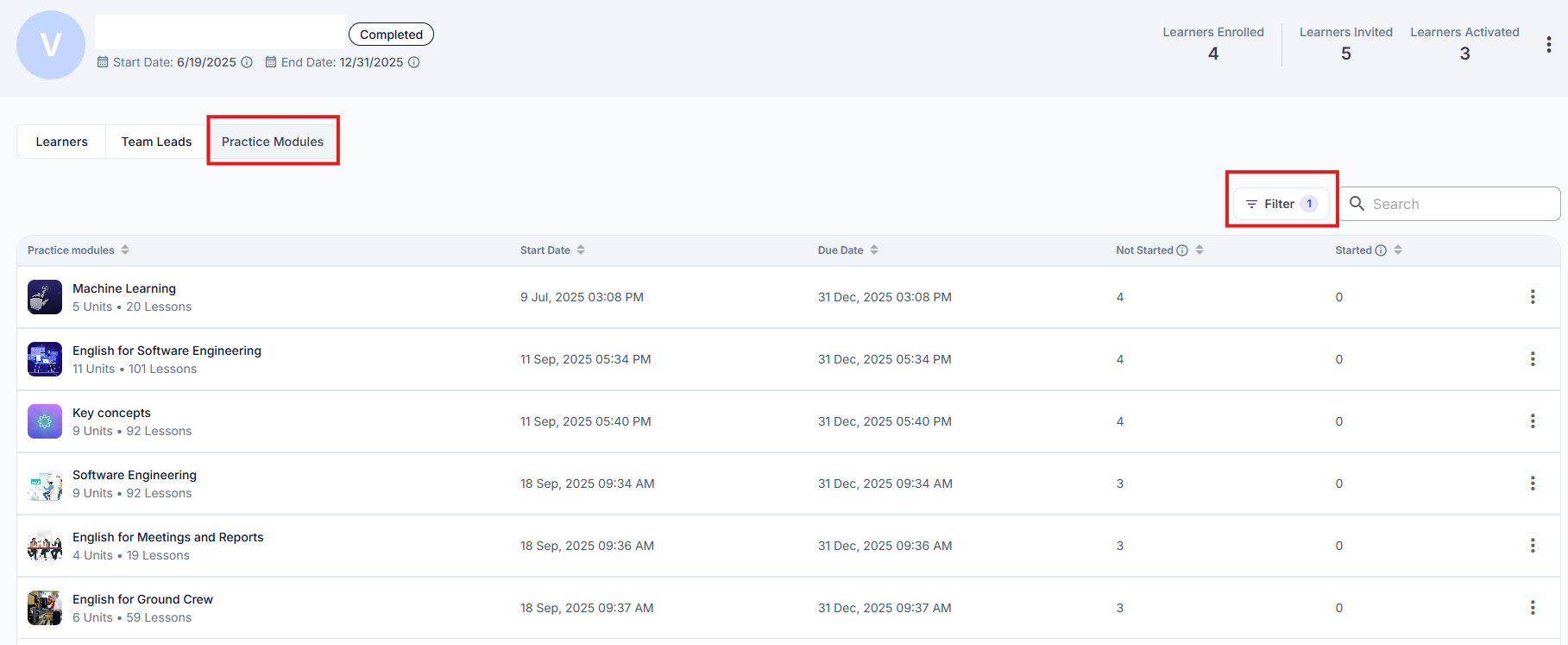
4. Click on the Practice Module that you would like to see the lesson completion rate per learner for and navigate to "Learner Performance" tab. You will then be able to see the number of completed lessons per learner for that specific Practice Module.
Was this article helpful?
That’s Great!
Thank you for your feedback
Sorry! We couldn't be helpful
Thank you for your feedback
Feedback sent
We appreciate your effort and will try to fix the article