To find the most suitable ELSA lessons for your organization and teams, please follow the steps below:
- Navigate to Content Management in the left-hand sidebar menu and click on Practice Modules.
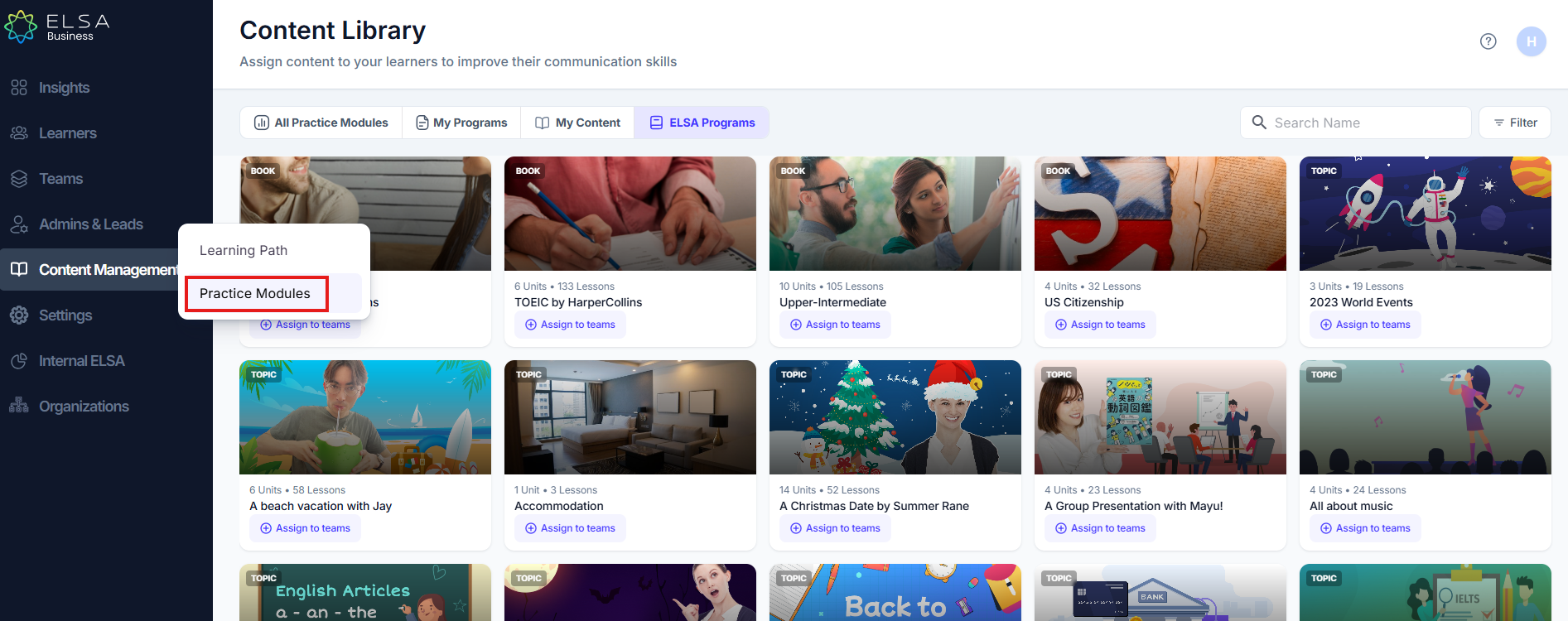
- You will now see a library of available ELSA Programs.
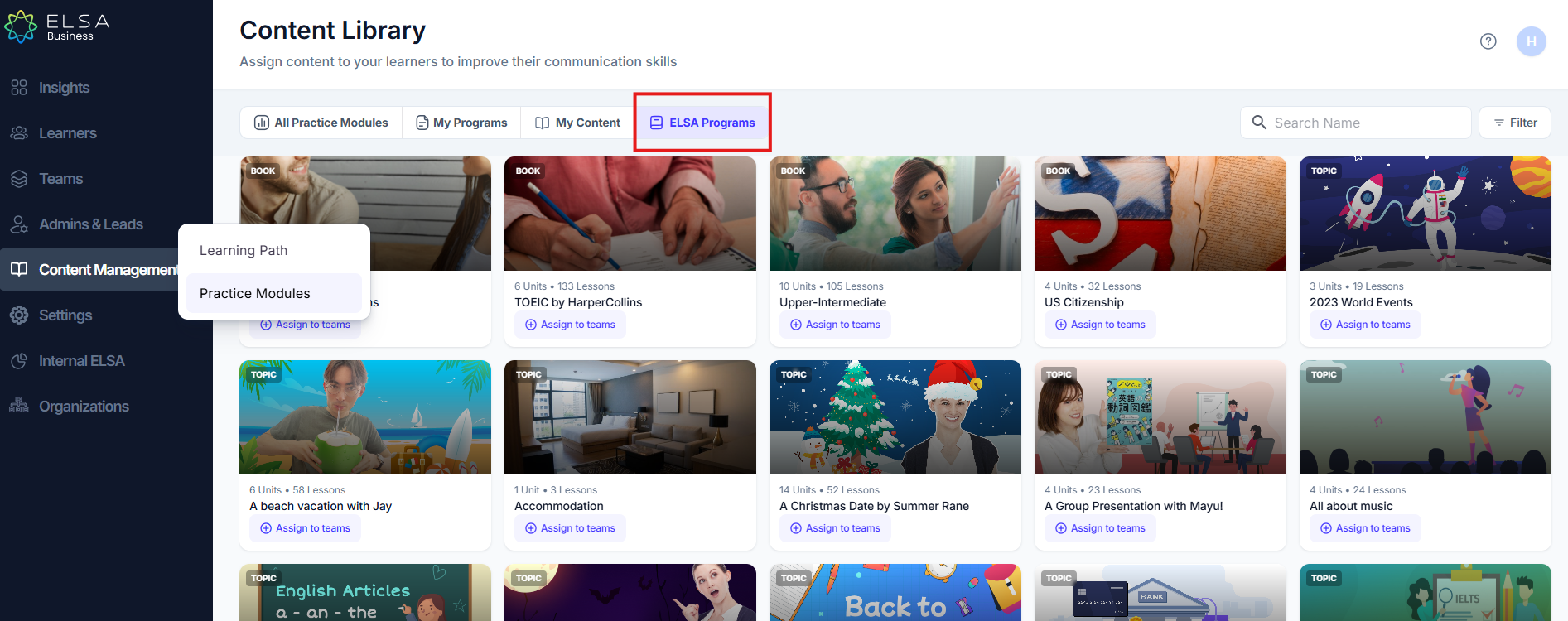
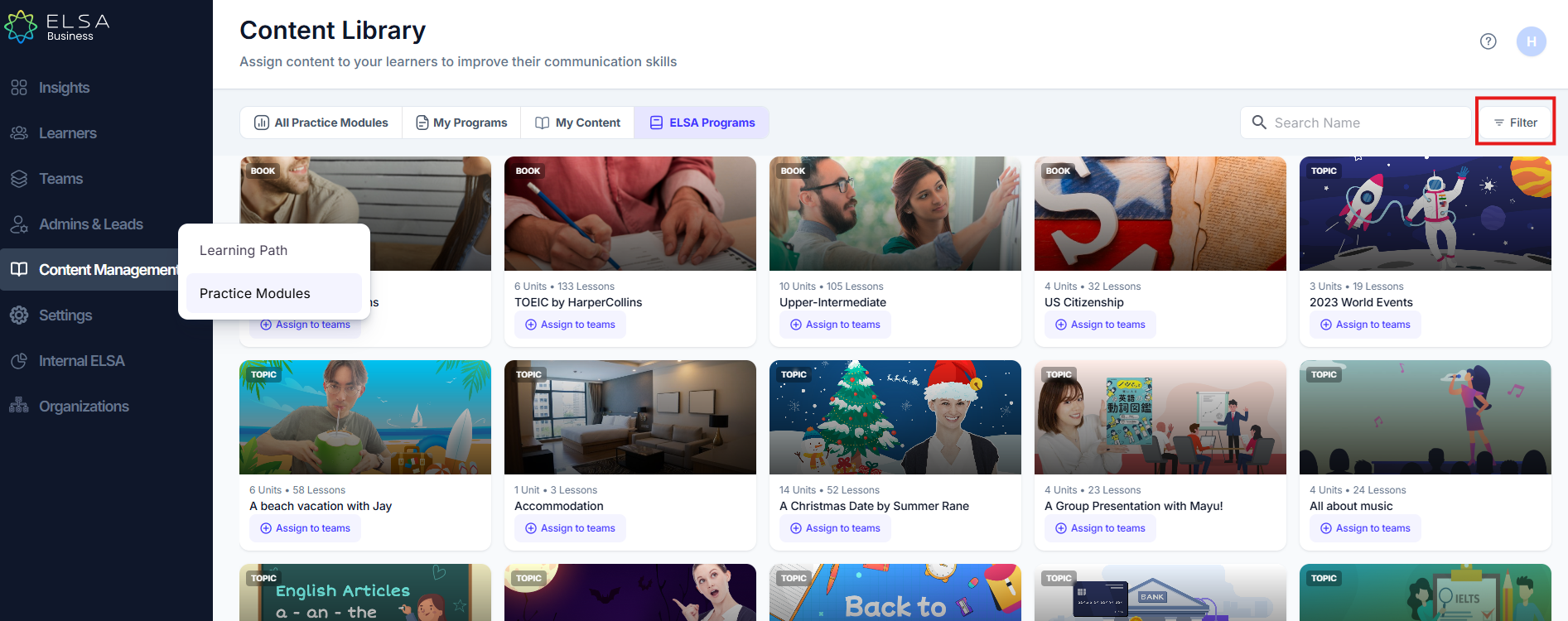
- You can also filter the ELSA Programs to find the most relevant programs for your organization/team. Locate the "Filter" button on the right-hand side and click on the button.
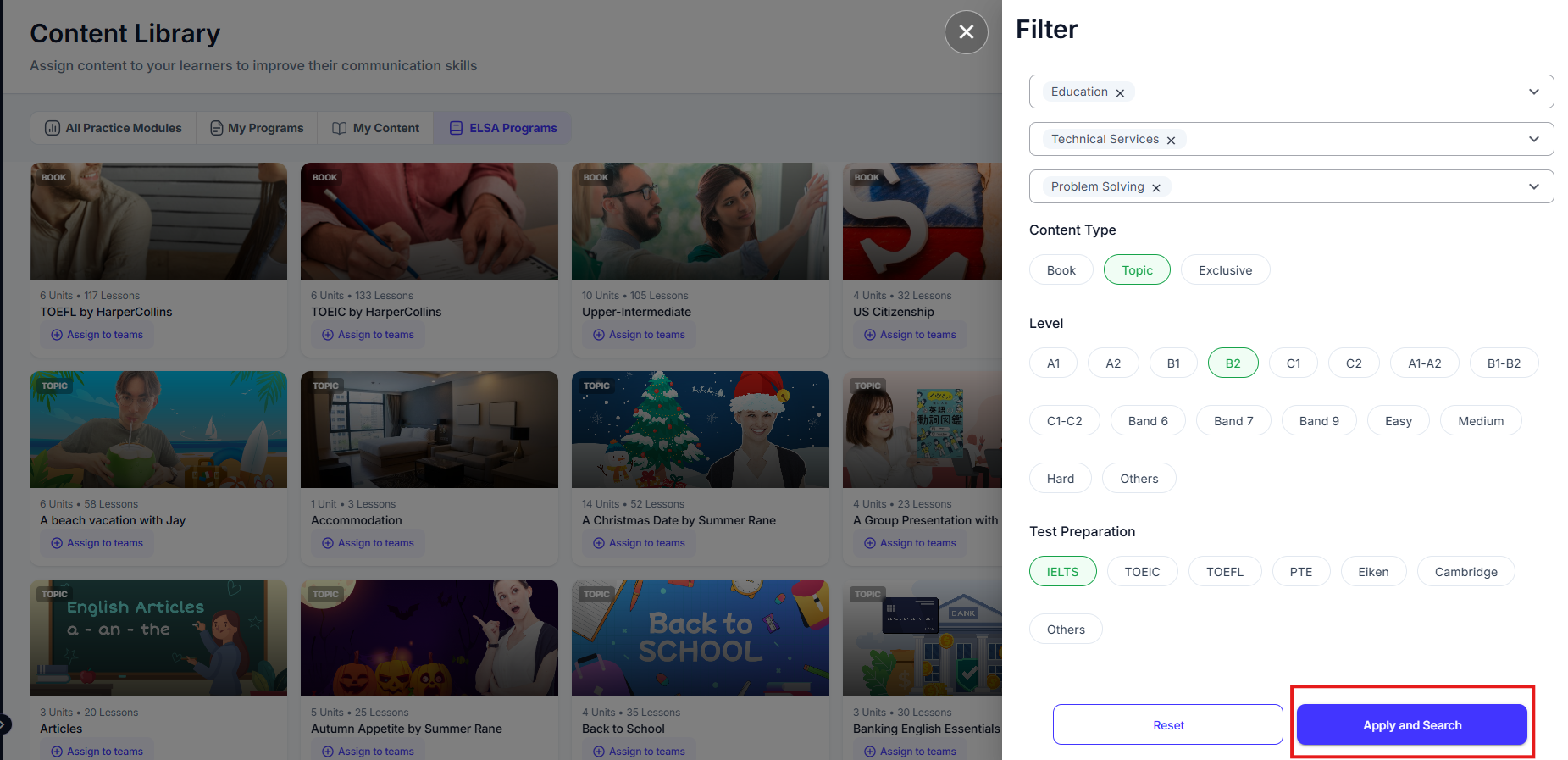
- A "Filter" panel will appear, allowing you to refine the list of practice modules based on various criteria. The available filters may include:
- Industry: Filter by the specific industry the practice module is relevant to.
- Job Function: Filter by the job function or role the practice module is designed for.
- Communication Skills: Filter by the specific communication skills the module focuses on (e.g., pronunciation, grammar, vocabulary).
- Content Type: Filter by the type of content within the module (e.g., book, topic, exclusive content).
- Level: Filter by the proficiency level the module is suitable for (e.g., A1, A2, B1, B2, C1, C2, IELTS bands, TOEFL scores, Easy, Medium, Hard).
- Test Preparation: Filter by specific test preparation materials (e.g., IELTS, TOEFL, TOEIC, PTE, Eiken, Cambridge).
- Select the desired filters by clicking on the corresponding options. You can select multiple filters within each category.
- Once you have chosen your desired filters, click the "Apply and Search" button
Was this article helpful?
That’s Great!
Thank you for your feedback
Sorry! We couldn't be helpful
Thank you for your feedback
Feedback sent
We appreciate your effort and will try to fix the article