To assign programs to your teams, please follow the simple steps below:
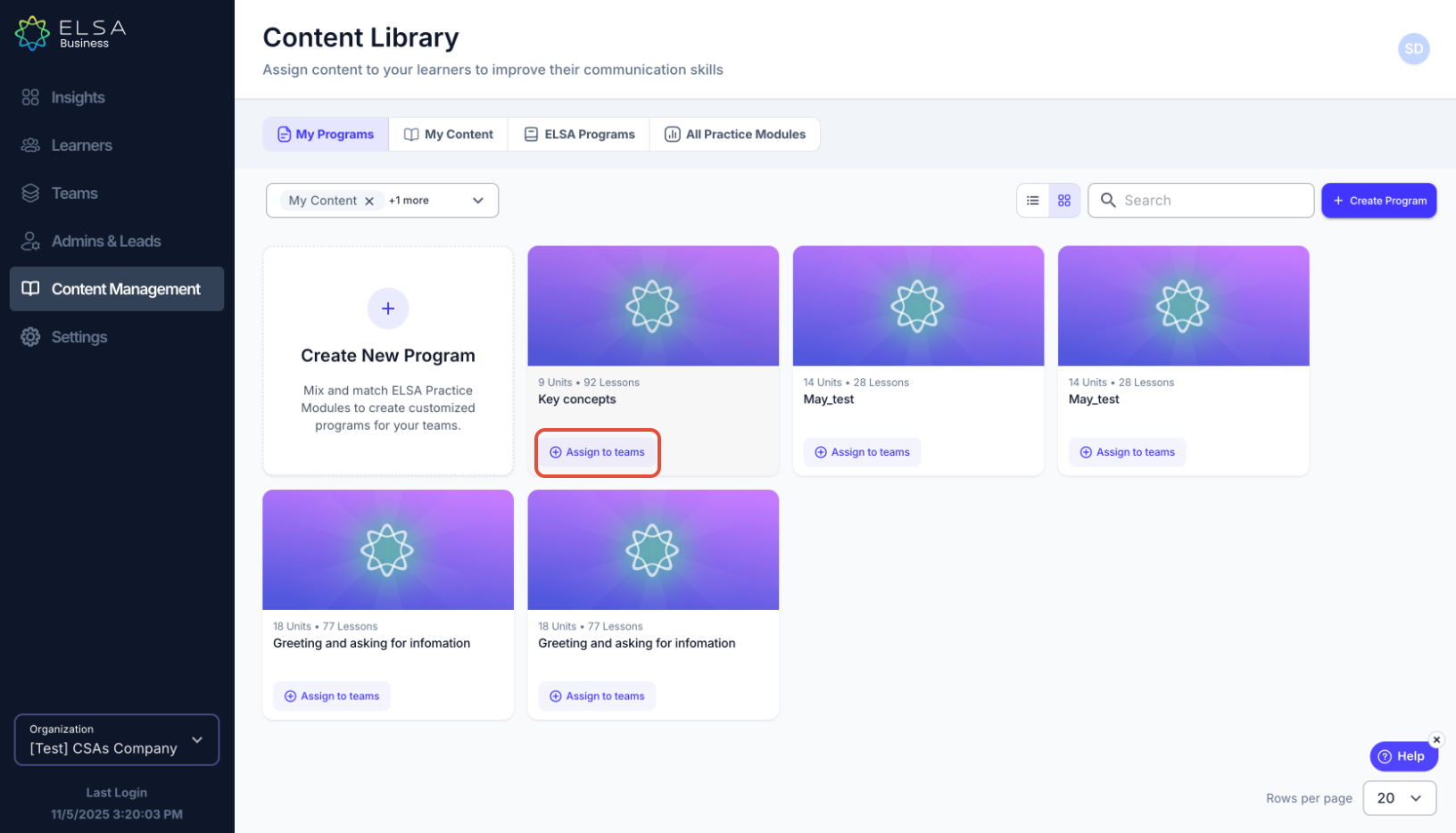
1. On the Content Library => My Programs. Locate the program that you would like to assign to your teams and click on "Assign to teams".
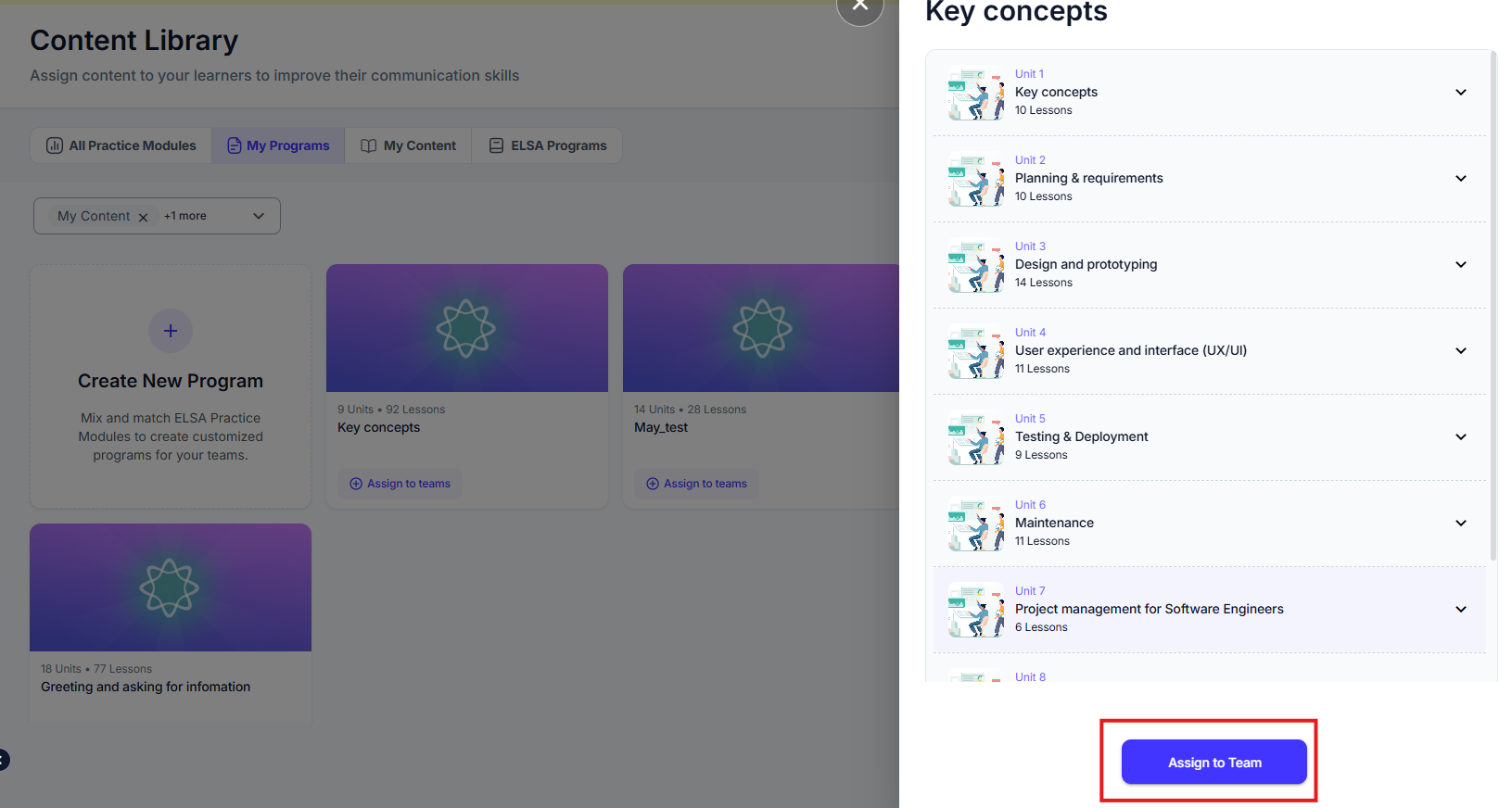
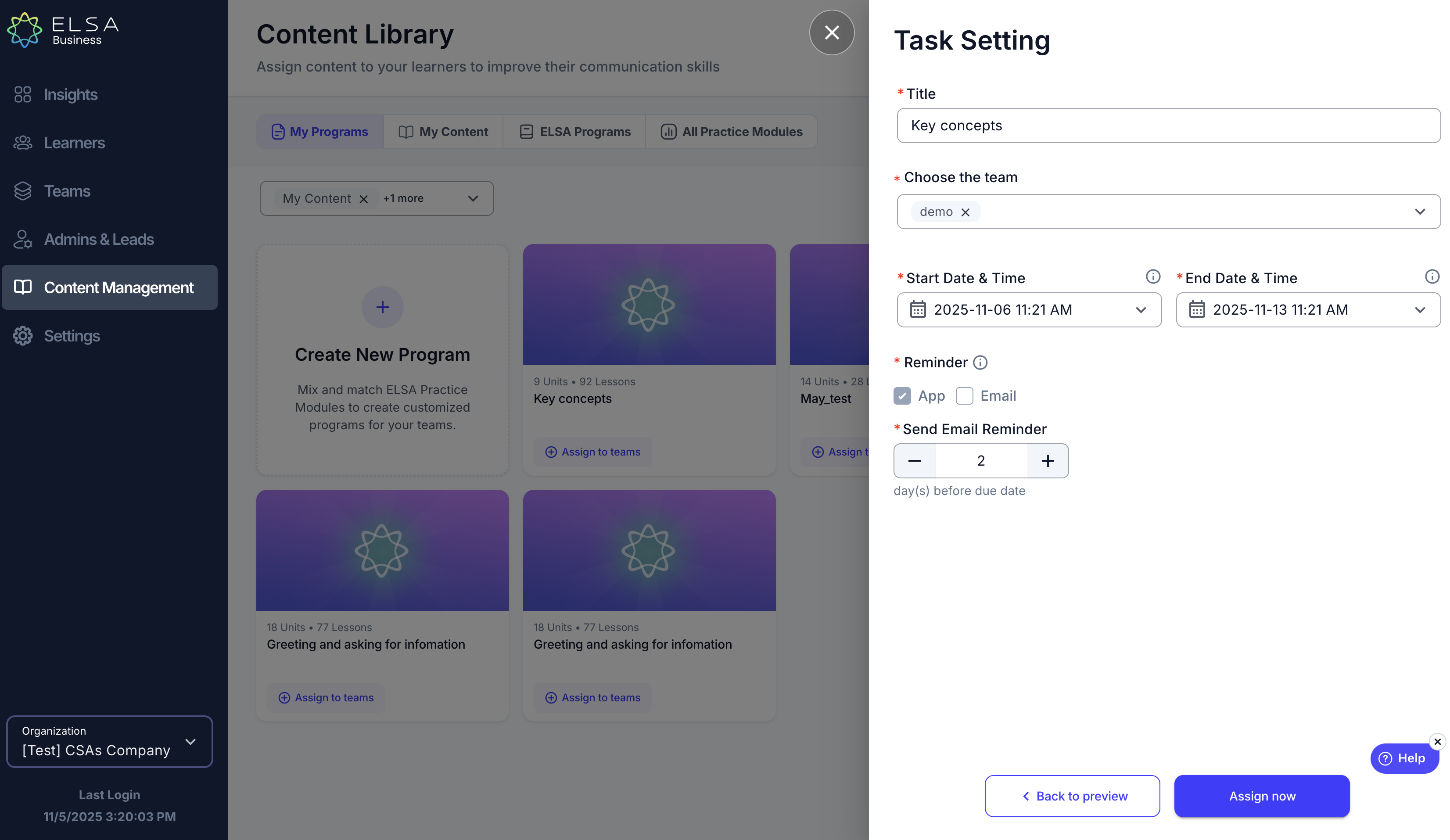
2. Admins / Team Leads can customize Program settings when assigning it to teams. Inputs will be pre-filled to speed up the process for users.
- Title: Defaults to content name; editable by users.
- Team(s): Must be selected by users (no default); multiple teams allowed.
- Start Date: Defaults to "Assign Now"; can be set for a future date.
- End Date: Defaults to one week after Start Date; cannot be before it.
- Reminders: Defaults to 2 days before the Due Date; adjustable.
- Email Reminder: Sends a notification to learners who haven't completed the assignment.
3. Once the Program is set up, learners will receive an email notification on the Start Date. The email will be sent in the language chosen in the organizational settings.
Was this article helpful?
That’s Great!
Thank you for your feedback
Sorry! We couldn't be helpful
Thank you for your feedback
Feedback sent
We appreciate your effort and will try to fix the article